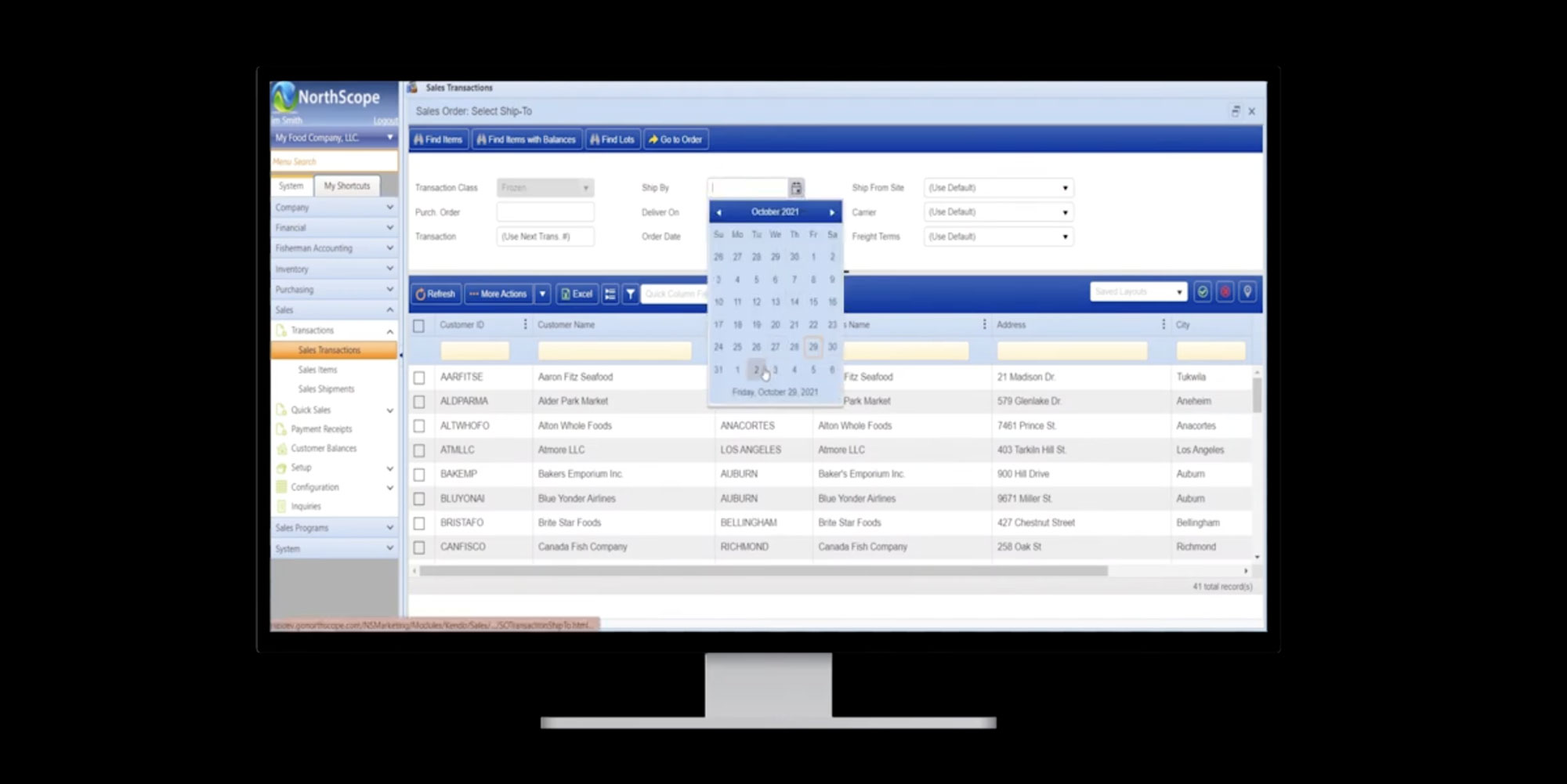
Selling Available Items

NorthScope understands all orders are different, that’s why it offers several modes for order entry and sometimes you need to add available items to an order while someone else will allocate them. NorthScope makes this easy by allowing you to view items and their available balances while entering an order for a customer. Simply search for the items your customer wants and enter the quantities requested based on their availability and the prices will pull through from their assigned price list. Now the items your customer requested are on the order ready to be allocated accordingly.

Optimize your food business today, with ERP software built for your industry.
Related articles

Contact us

Partner with Us for Smoother Seasons

We’re happy to answer any questions you may have and help you determine which of our services best fit your needs.

Outgrowing Your Current ERP?
Don’t struggle through another season with software that doesn’t work for you. Take these 3 simple steps to your success.
1

Identify the Problem: 
We meet with your team to identify your pain points and understand what’s important to you.

2

Plan to Fix It:
We create a project plan that will take away your pain points and is tailored for your success.

3

Launch Your Solution: We configure your system with your data and hold your hand through training, launching, and beyond.

Schedule a Free Consultation with an ERP Expert