Smooth seasons start with ERP designed for end users.














ERP Built for How Processors Actually Operate
Operations-focused ERP designed for seafood and agriculture processors managing seasonal volume, complex inventory, production, and tight margins. Built around real workflows, it connects financials, inventory, production, and sales in one system so teams can work more efficiently, make better decisions, and reduce manual work across the business.
Inventory Visibility
Real-time inventory visibility by item, lot, and location across facilities and 3PLs.
Profitability Insight
Integrated financials and costing with accurate margin and profitability insight.
Control
Production and inventory control that supports multi-step processing and transfers.
Traceability & Compliance
Traceability and compliance reporting from receipt through customer delivery.
For End-Users
End-user focused design that reduces spreadsheets, duplicate entry, and errors.
Support
Support from a team that understands processor operations before, during, and after implementation.
goNorthScope ERP Feature Highlights
ERP built for seafood and agriculture processors.
Tools and features for day-to-day operations you'll actually like using.
Real-Time Inventory
On hand and available balances by Item & Lot wherever you have product. Further manage balances by location in your facilities or Warehouse Lot in 3PL facilities.
Production
Record production on a single transaction. Use Production Orders to schedule production and determine availability of inputs ahead of time.
Integrated Accounting
All transactions update the general ledger. Accounts can be viewed individually or rolled up by Cost Center, Division, or Department.
Costing
Manage Costs by Item or Lot. Works whether costs are known at time of purchase, production, or updated later.
Traceability
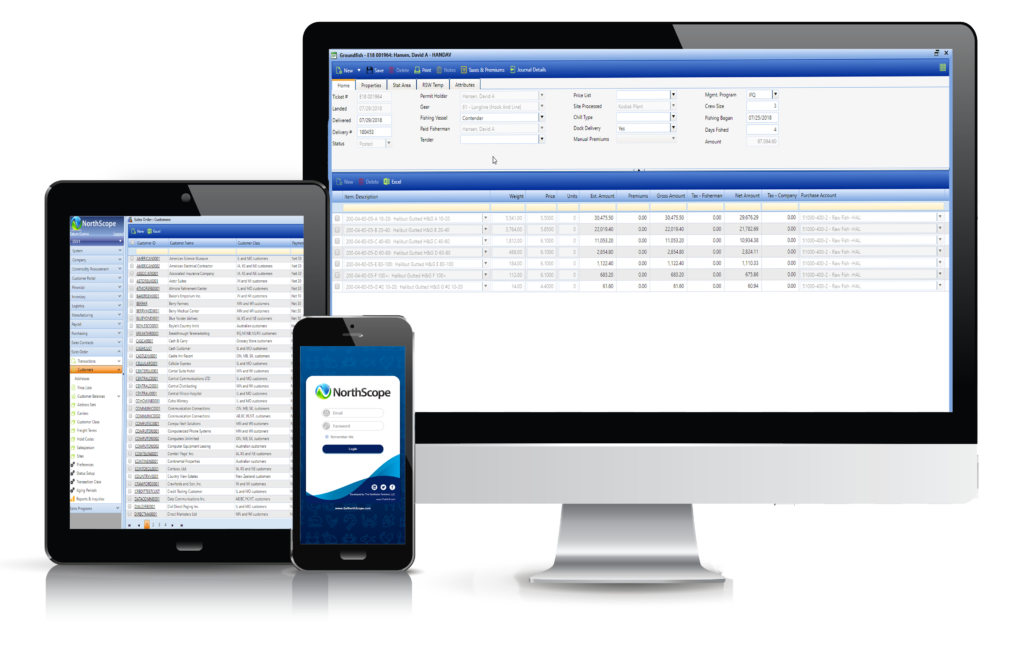
Inventory history is maintained by Item, Lot, Site, and transaction type to ensure you know where your products came from and where they went.
Sales
Enter or import orders to update inventory in real time. View margins and manage freight, rebates, and brokerage expenses.
Business Analysis
Easy access to all your data in formats that allow you to quickly analyze sales, purchasing, or production any way you want.
Purchasing
POs provide visibility to inbound product and manage discrepancies between ordered, received, and invoiced quantities.
Key Platform Features
goNorthScope includes a wide range of features designed to support the day-to-day realities of food and agriculture processing. From variable-weight inventory and costing to traceability, contracts, and third-party warehouses, these capabilities work together to give teams accurate data, better control, and flexibility as operations change and grow.
Catch Weight/Variable Weight Items
Used to manage the exact weight of a food item such as meat, fruit, or vegetables that is sold by the weight rather than by the Case. Catch Weight items typically have a target weight identified (e.g., 30 lbs.) but unlike uniform weight items, the stated weight on the box can exceed the target weight (e.g., 30.15 lbs.).
Cloud or Local Installation
NorthScope can be installed in our Cloud, locally on your server, or on your remote server.
Costing
Costing streamlines the process of applying costs to your inventory and/or updating the General Ledger. Items configured for costing can be setup as either “Active” (the costs being applied to inventory also post to the General Ledger) or “Passive” (the costs being applied to inventory do not post to the General Ledger). Item costs can be manually added/updated, updated as inventory items are purchased, or updated based on other expenses (Landed Cost, monthly storage, etc.). NorthScope allows each item to maintain Actual, Market, and/or Standard cost rates.
Freight Management
Freight Management provides accurate accounting of delivered freight expenses, accurate view of outstanding freight liability, and accurate view of sales order profit. When a sales order or transfer transaction that includes expected freight expense is posted, a Freight Purchase Order is automatically created. As freight bills are entered into Accounts Payable, any variance from the originally accrued amount is displayed so it can be easily researched. When the Accounts Payable invoice is posted, the original amount of accrued freight is debited, and any variance is posted to the Freight Variance GL Account(s).
Inventory Ownership
For companies that do contract processing and/or maintain inventory balances for other companies, NorthScope can keep track of this inventory by Owner.
Item & Lot Historical On-Hand Balances
The ability to view historical On Hand balances at the Item or Lot level in any Site/Warehouse allows for easy audit of Historical Inventory Balances in the General Ledger, 3rd Party Warehouse Storage invoices, and Costing.
Item & Lot Perpetual Balances
Manage perpetual inventory balances across one or more warehouses. Unit and Weight balances are easily identifiable as On Hand, Committed, Allocated, On Hold, and Available.
Lot Tracking & Recall
Lot Tracking allows for traceability of your products throughout your supply chain. While tracking by Production Batch is the major component of this, it can also be done using a variety of other data points such as Production Site, Production/Receipt Date, and Production Line, Shift and/or interval.
Multi-Currency
Multi-currency management exists for Companies that sell and/or maintain bank accounts in multiple currencies. NorthScope manages multiple Currencies, multiple Exchange Rate Tables, and allows for sales and/or payment receipts in multiple currencies.
Price Lists
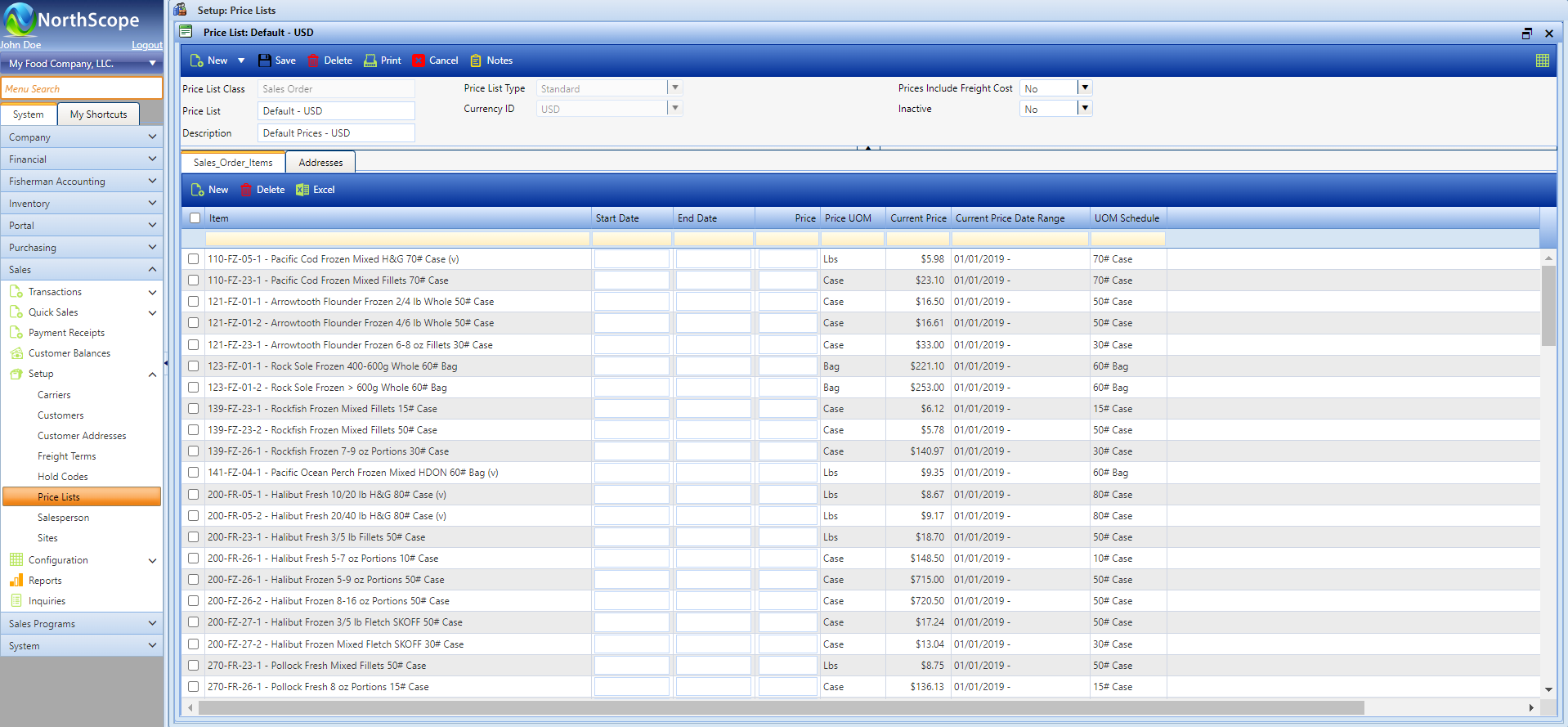
Price Lists exist to accurately default prices on transactions. Each Price List stores the list of applicable Items, and each item identifies the Price, Price UOM, and Effective Date(s). As prices change, the price history is maintained to provide analysis of price history. Price Lists can be associated to Sales Orders, Transfers (for insured values), Fish Tickets, Fisherman Sales, and Grower Tickets.
Project Accounting
Projects are used to associate revenue and expenses to specific things that need additional analysis. They are typically associated with capital improvement projects, vehicles, production equipment, and “Trading”.
Sales Contracts
Sales Contracts are used to manage and provide visibility to customer sales obligations over specified time period. Contracts specify the quantity and price for one or more items, as well as substitution and over-shipping rules. Contracts can be used to manage sales volume agreements, lock in special pricing for an agreed upon volume, or simply to help with forecasting.
Third Party Warehouse Management
For companies that maintain inventory in Cold Storages and 3PL and Distribution sites, NorthScope’s Warehouse Lot Management, real time Item and Lot balance inquiries, historical inventory balance reports, and cost management makes this much easier.
UOM Conversions
NorthScope has extensive capabilities for converting difference of units of measure for the same quantity. Whether converting weights (e.g., lbs to Kg) or units (e.g., Cases to Bags) this is made simple with user configurable UOM Schedules.
User-Defined Fields
If there is a need to record and/or analyze your data by a value that does not ship with NorthScope, users can easily add User-Defined Fields that are unique to each Master File & Transaction.
User-Friendly System
NorthScope was designed to be user intuitive and includes many built in features to make data entry and analysis more efficient.
- CSV File Imports for Setup Files & Transactions
- Export any List View or Inquiry to Excel
- Mass Update multiple records in one step to reduce data entry and improve posting
- Interactive List Views and Inquiries
- User configurable Preferences to control and drive functionality
- User configurable pages
- User configurable Transaction Classes to provide better control and analysis of historical data.
- User defined custom fields unique to each Master File and & Transaction
- User Security that is easy to configure
- Print one or more reports at a time
- Journal Entry details for each transaction
Warehouse Lot Management
A Warehouse Lot (aka Storage Lot) is used by Cold Storages and 3PL Sites to identify a unique quantity of product they are storing. Unlike a Production Batch value that never changes, Warehouse Lots can change as product is transferred to other Sites and/or transferred into exiting Warehouse Lots within the same Site.
Workflow
Use workflow to define the series of steps that your transactions must go through. Workflow steps can be linear or can be deviated based on other factors.
ERP Functional Areas
Integrated features that work together to help enhance your food manufacturing business.
Accounting
The base accounting features include General Ledger, Accounts Payable, Accounts Receivable, and Bank Reconciliation.
General Ledger
Overview
The General Ledger tasks include configuring the chart of accounts, entering manual journal entries, maintaining the fiscal calendar, running the year end close, and printing financial reports. The General Ledger is updated as transactions are posted from Accounts Payable, Accounts Receivable, Fisherman Accounting, Grower Accounting, Inventory, Purchasing, Sales, and Sales Program Settlements.
Features
- Journal Entries
- Journal Entry Import
- Fiscal Period Management
- Month-End Close
- Year-End Close
- Project Tracking
- Financial Reporting
- Configurable GL Account Format
- Detailed GL Posting from Every Transaction
- Flexible Reporting & Inquiries with Drill-Through to Transactions – Watch Video
Functions
- Import or Enter Manual Journal Entries
- Import or Enter Accrual Entries
- Post Multiple Journal Entries at the Same Time
- Correct Historical Journal Entries
- Void Historical Journal Entries
- Month-End Close
- Year-End Close
- Reverse & Correct Previous
- Year-End Close
- Maintain Chart of Accounts with Posting Rules
- Manage Project Entries for Capital Projects and/or Equipment
Accounts Payable
Overview
The Accounts Payable tasks include configuring and maintaining vendor data, importing and/or entering AP Invoices, building payment batches, and managing vendor aging. Accounts Payable integrates with the General Ledger, Fisherman Accounting, Grower Accounting, Brokerage, and Rebates.
Features
- AP Invoices & Credit Memos
- Purchase Order Integration
- Quick Visibility of Current Vendor Balances
- Historical Vendor Aging
- Flexible AP Check Batches & Manual AP Checks
- Vendor Maintenance with User-Defined Attributes
- Configurable Transaction Classes
- User-Defined Fields Unique to each Transaction Type
- Safe Pay & Direct Deposit (ACH) for Vendors
- Applying & Unapplying of Historical Payments & Credit Memos
- Voiding of Historical Transactions
- PaperVision (Document Management Software) Integration
- Flexible Reporting & Inquiries with Drill-Through to Transactions
Functions
- Import or Enter AP Invoices & Credit Memos
- Post Multiple Transactions at the Same Time
- Void AP Checks, Invoices & Credit Memos
- Apply Payables
- Build AP Check Batches or Manual Checks
- Process Direct Deposit (ACH) Payments
- Generate Safe Pay File
- Distribute Fishermen Charges on Invoices
- Review Vendor Balances & Aging
Accounts Receivable
Overview
The Accounts Receivable tasks include configuring and maintaining customer data, entering debit & credit memos, receiving & applying customer payments, and managing customer aging. Accounts Receivable integrates with the General Ledger, Sales Order, Brokerage and Rebates.
Features
- Robust Customer Management
- Quick Visibility of Current Customer Balances
- Historical Customer Aging
- Credit Limit Management
- Cash Receipts to Record Customer Payments
- User-Defined Fields Unique to each A/R Transaction Type
- Applying & Unapplying of Historical Payments & Credit Memos
- Flexible Reporting & Inquiries with Drill-Through to Transactions
Functions
- Accounts Receivable Sale Transactions
- Cash Receipts
- Apply Receivables
- Review Customer Balances & Aging
Bank Reconciliation
Overview
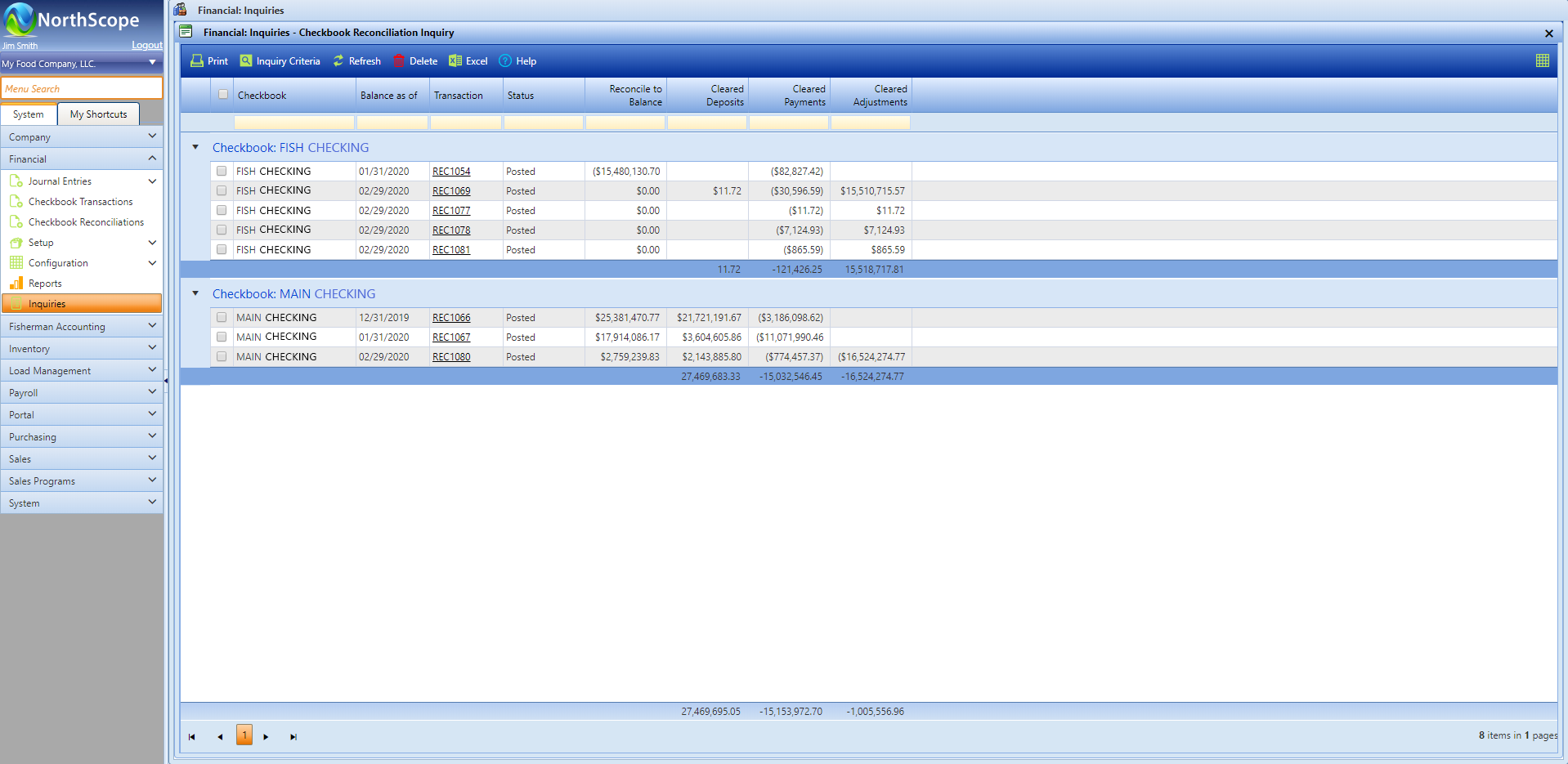
The Bank Reconciliation tasks include configuring checkbooks, entering account transfers, entering bank transactions, and reconciling bank statements. Bank Reconciliation integrates with the General Ledger, Accounts Payable, and Accounts Receivable.
Features
- Bank Reconciliation
- Deposit, Transfer, and Adjustment Transactions
Functions
- Reconcile and record deposits, transfers and adjustments to your checkbooks
Brokerage
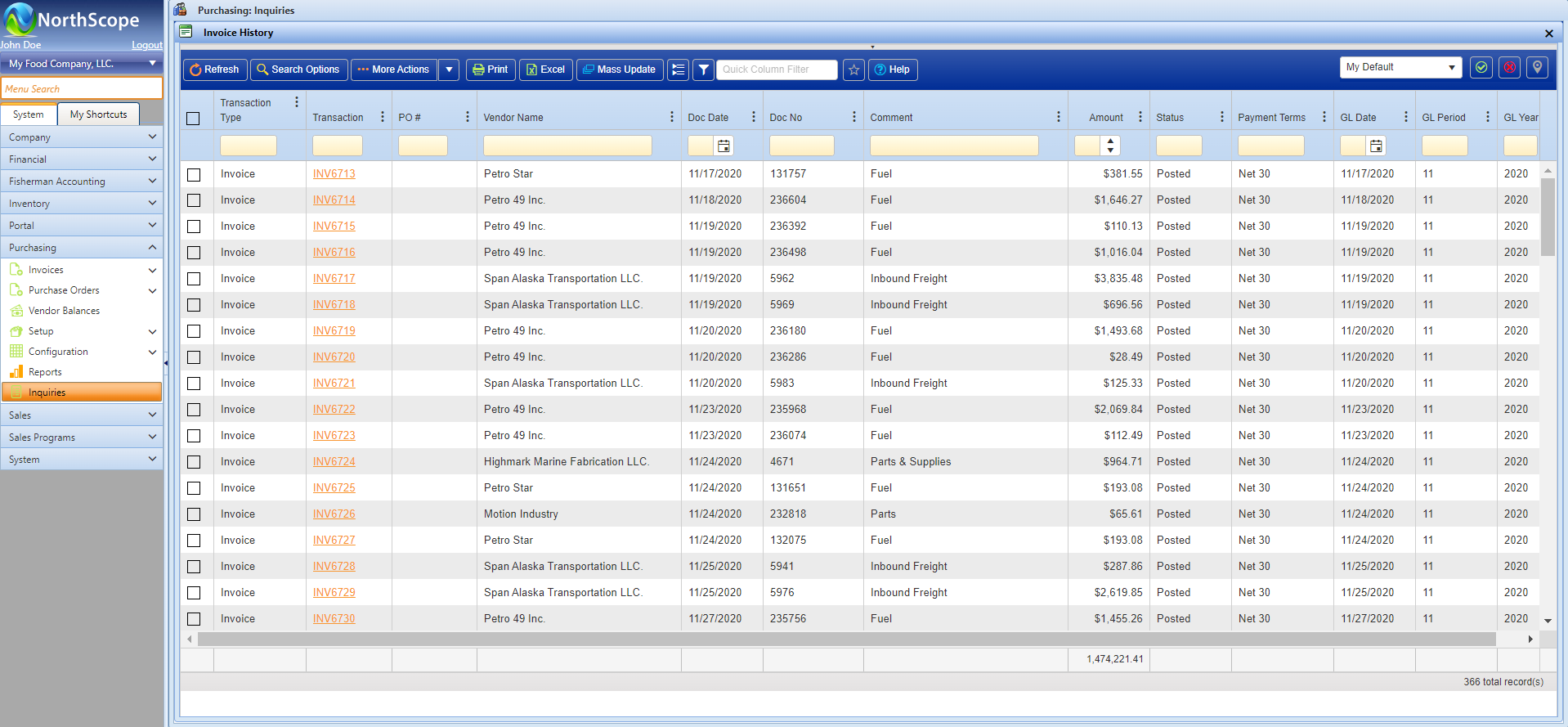
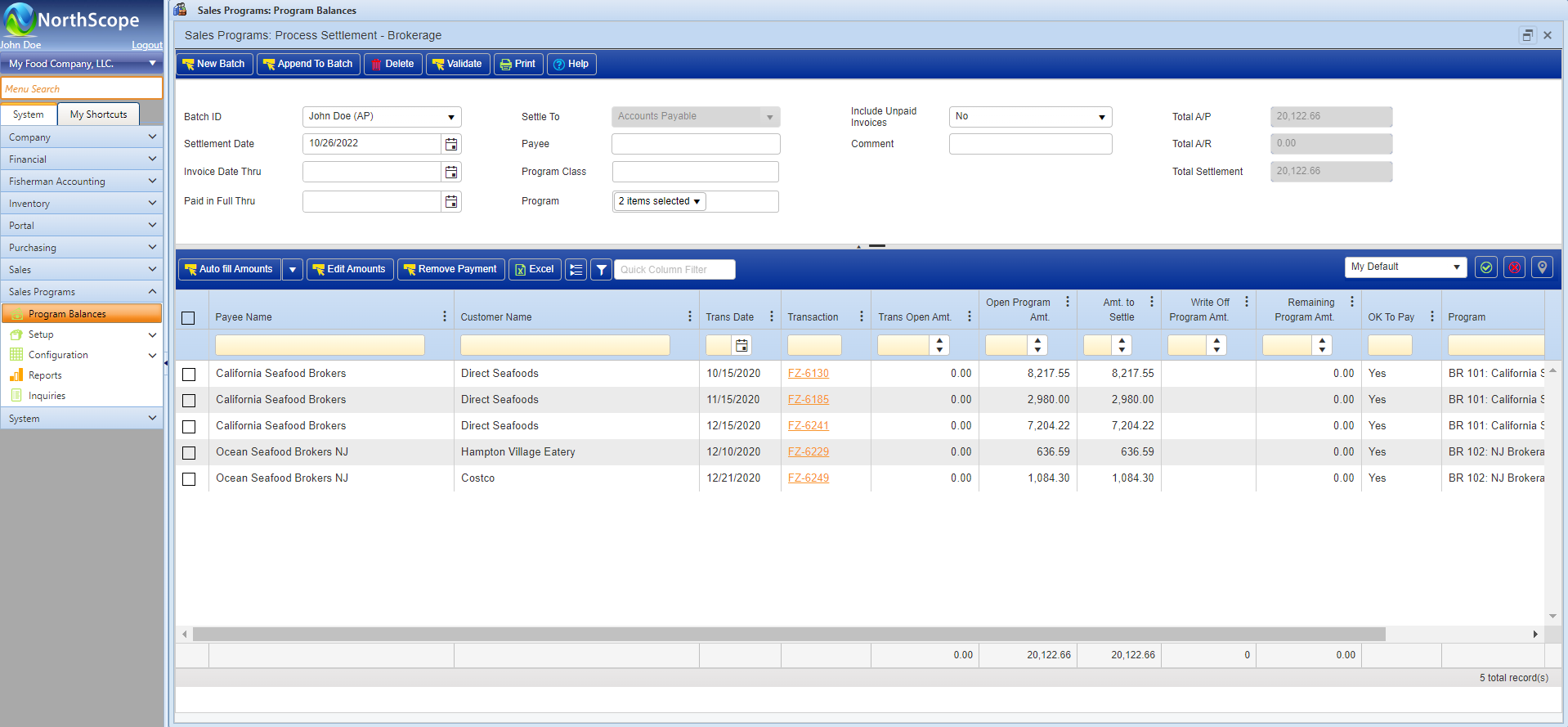
Brokerage programs are used to compute, accrue, and pay brokerage commissions to outside vendors. Brokerage Programs are automatically added to eligible Sales Transactions. When a sale transaction containing one or more Brokerage Programs is posted, the accrued brokerage amounts post to the General Ledger as part of the sales journal entry, and the Brokerage details are added to the Brokerage subledger. Open Brokerage can be processed in bulk or by individual Broker as needed. Brokerage is fully integrated with General Ledger, Accounts Payable, Accounts Receivable and Sales Order.
Features
- Easily configurable Brokerage programs
- Calculate Brokerage amounts as:
- $/UOM: (e.g., $1.25 / Lbs)
- % Gross Amount: (e.g., 2% of the gross item amount)
- % (Gross – Freight): (e.g., 2% Less included/estimated delivered freight)
- Automate calculation on Sales Orders
- Quick visibility of current Broker balances
- Historical Broker Aging
- Flexible reporting & inquiries with drill-through to transaction
Functions
- Configure and maintain Brokerage programs
- View Broker balances
- Process Brokerage Settlements
- Edit open Brokerage amounts
- Write off open Brokerage amounts
Fisherman Accounting
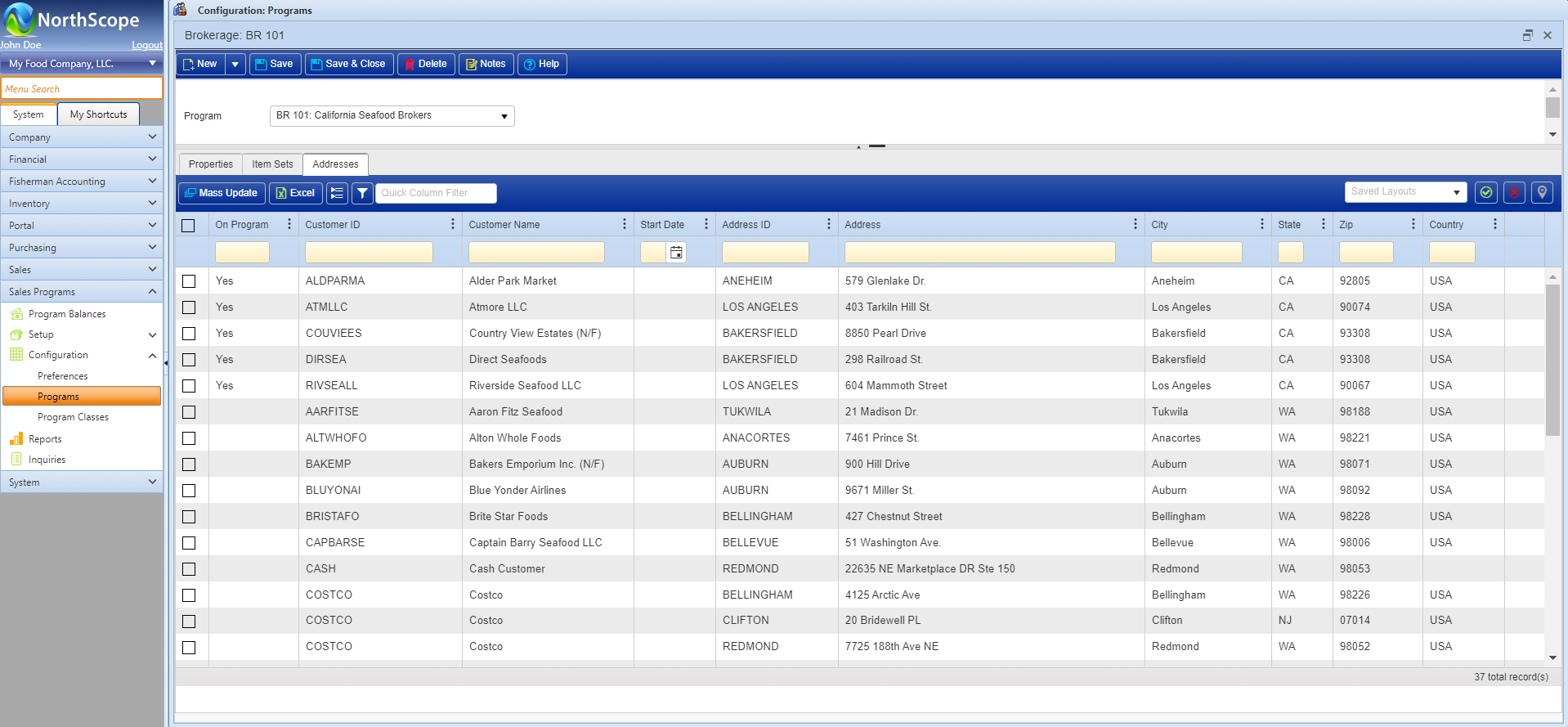
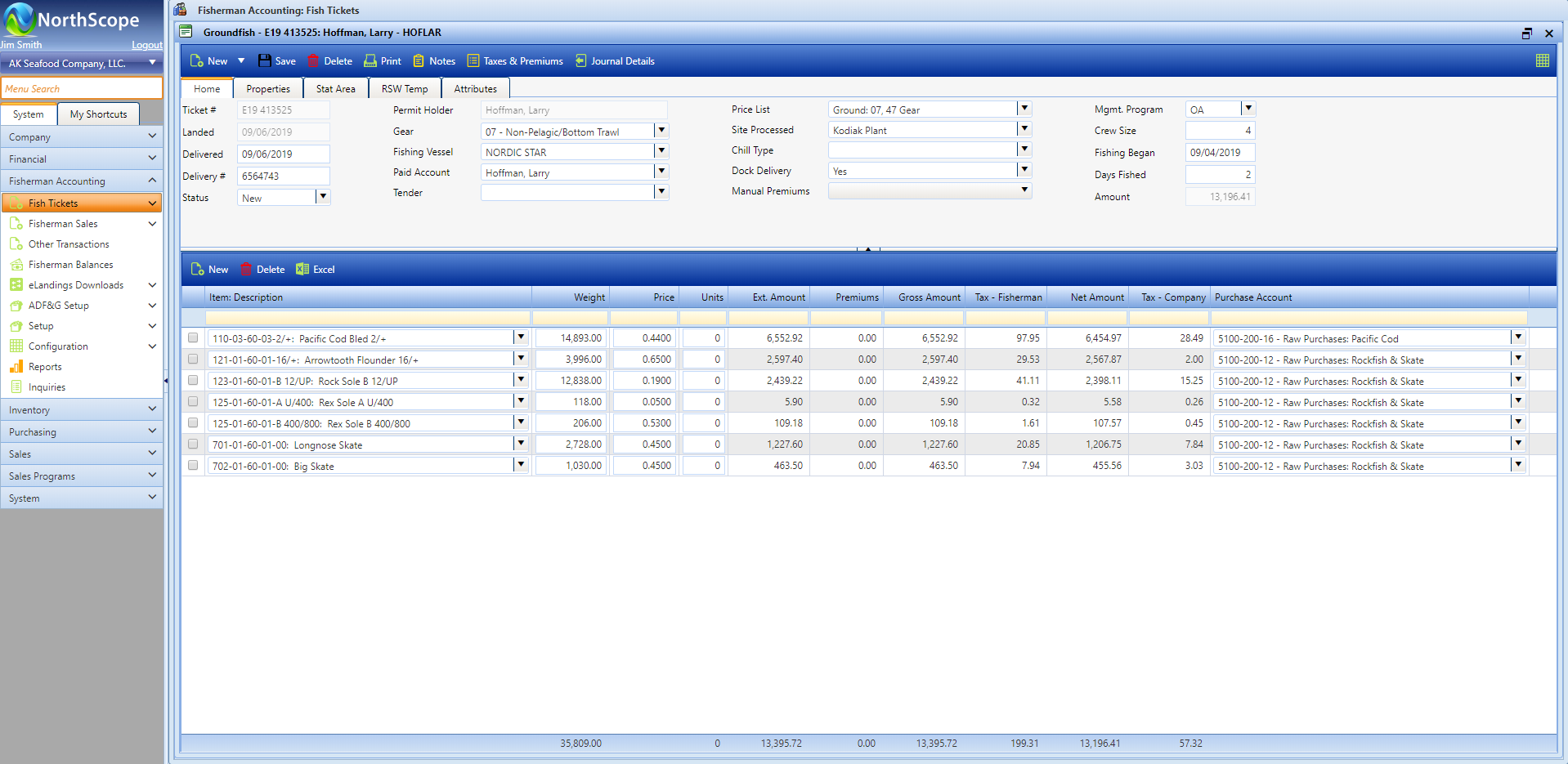
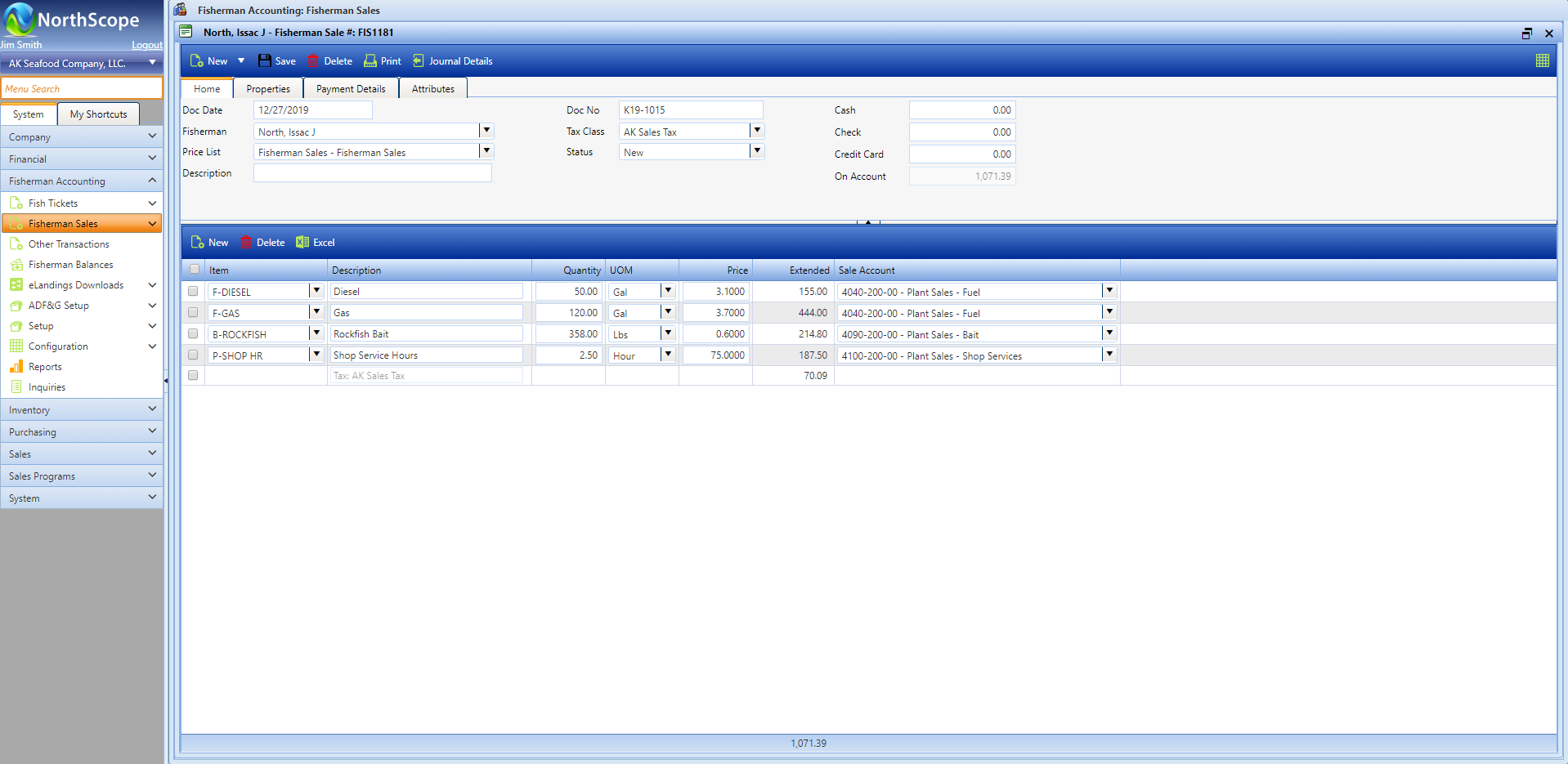
The Fisherman Accounting functional area is used for buying fish, crab, or lobster directly from fishers, selling bait, fuel, and supplies. Fish Taxes are automatically applied to Fish Tickets and Premiums can be automated or manually assigned. The main tasks performed include importing or entering Fish Tickets, paying/settling accounts, managing fisherman balances, and managing fisherman loans. Fisherman Accounting integrates with the General Ledger, Inventory, and Accounts Payable.
Features
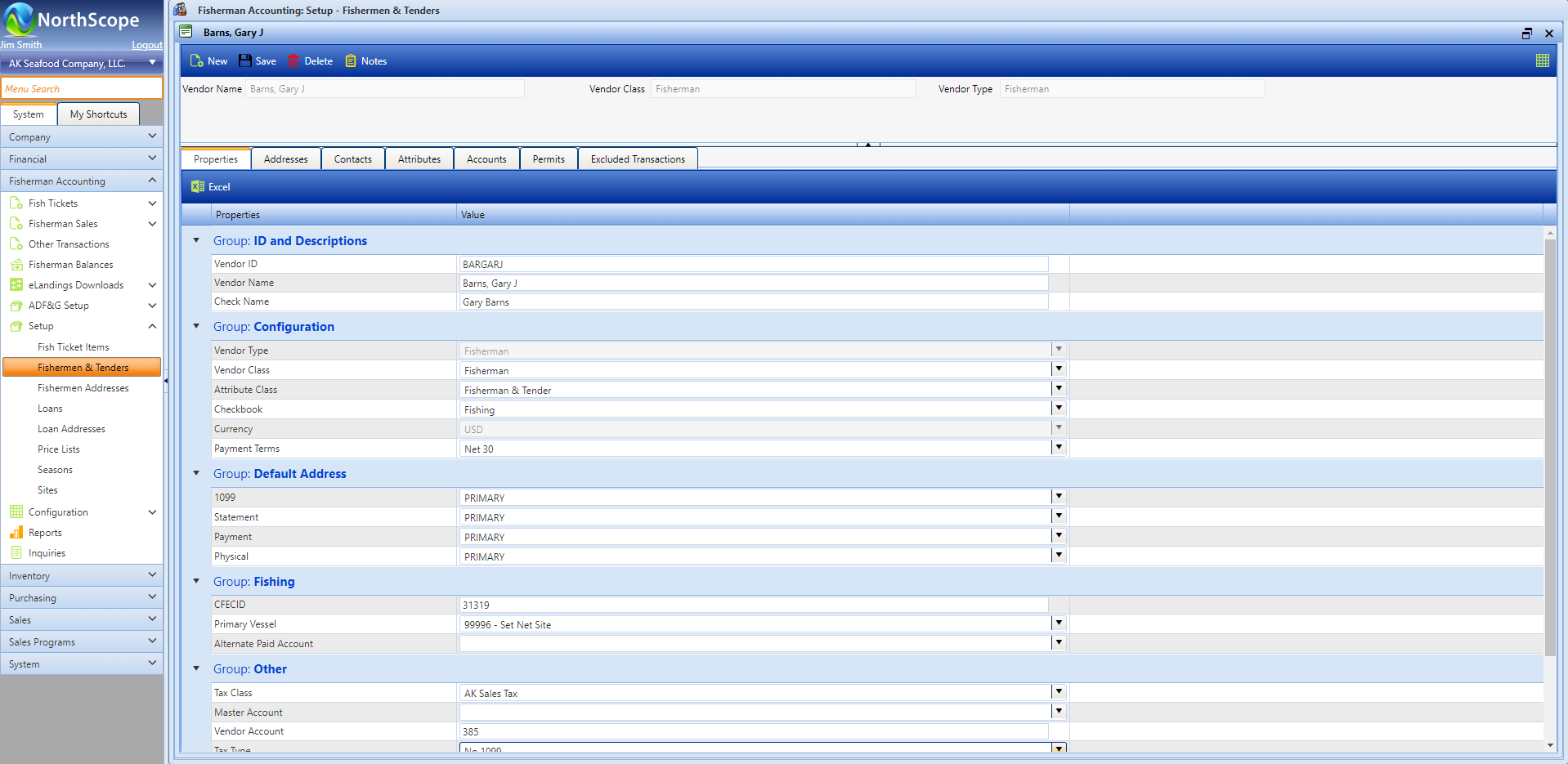
- Fisher, Tender & Loan Management
- Fish Ticket management that includes:
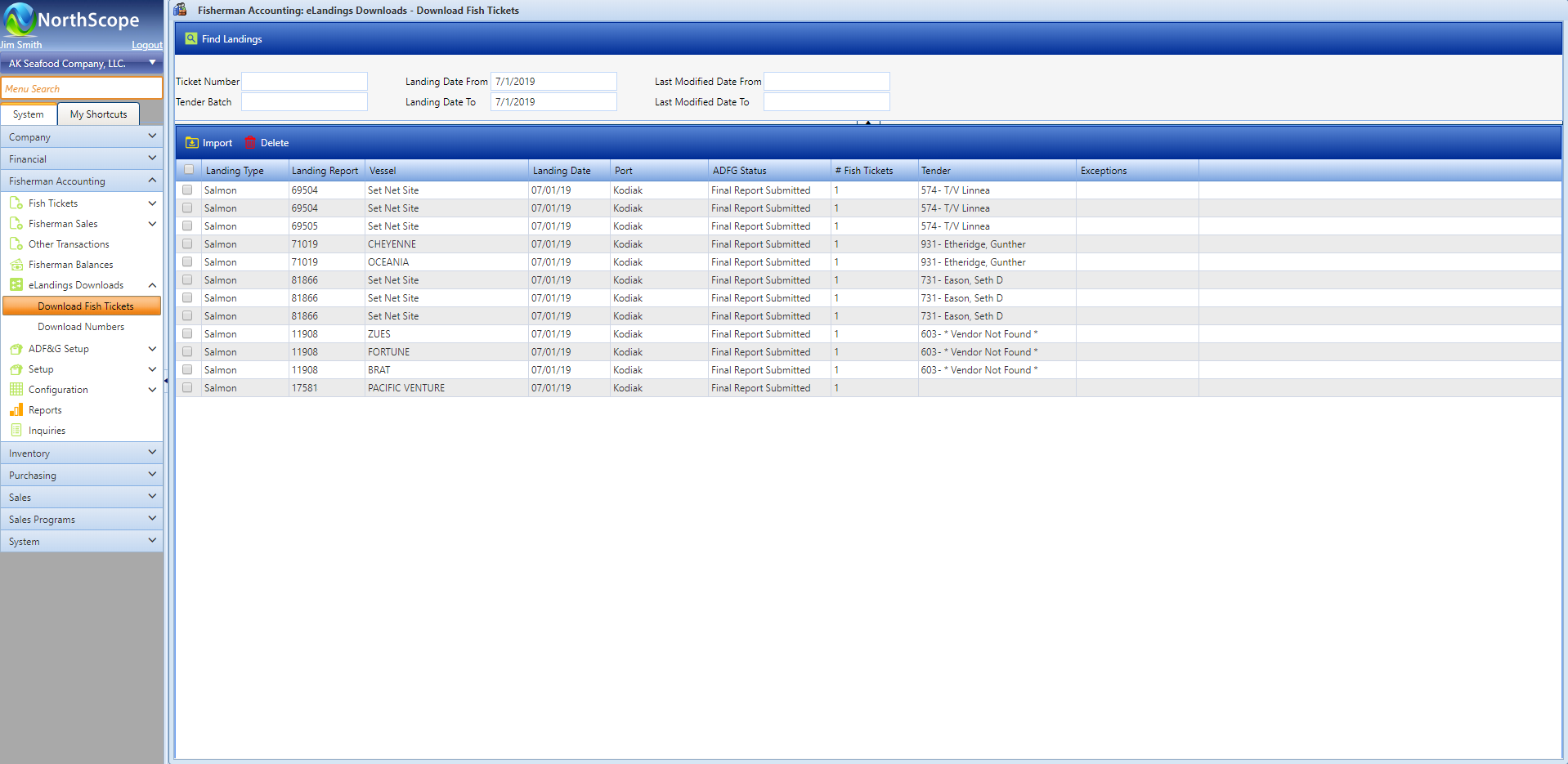
- eLandings Integration – Watch Video
- Automated Fish Ticket Taxes
- Automated or manual Premiums
- Fish Ticket Price List Management – Watch Video
- Fish Ticket repricing & corrections, in bulk or by single ticket.
- Sales to Fishers, Tenders, & Customers
- Sales Tax Management
- Manage sales between Tenders and your fishers
- Sales Price List Management
- Charge Fisher accounts directly from Accounts Payable invoices, in one step
- Fisher Settlements (payments)
- Settle fishers individually or in a batch
- Settle using transaction balances or as needed
- Split Fisher payments (e.g., crew payments)
- Pay via Check or ACH
- Safe Pay integration
- Installs with ADF&G Master File Data
- User-Defined Fields Unique to each Transaction Type
- Configurable Transaction Classes
- Flexible Reporting & Inquiries with Drill-Through to Transactions
Functions
- Tickets
- Import Fish Tickets from eLandings
- Edit & Post Fish Tickets
- Reprice Fish Tickets (individually or in bulk)
- Reprice Fish Ticket Premiums in Bulk (individually or in bulk)
- Void & Correct Historical Fish Tickets
- Apply Chum %
- Fisher Accounts
- Adjustment Fisher, Tender or Loan Balances
- Transfer balances between Fishers, Tenders & Loans
- Receive and apply payments from Fishers, Tenders & Loans
- Sales
- Record Sales to Fishers using a Fisherman Sale transaction
- Record transactions Between Tenders & Fishers using a Tender re-sale transaction
- Process Settlements/Payments to Fishers
- Send out checks or upload ACH file to bank
- Split Fisher payments as needed
- Generate Safe Pay File
- Charge interest to Fisher Loans
- Maintain Price Lists for Fish Ticket and Sales
- Configure & Maintain Fish Ticket Taxes & Premiums
- Configure & Maintain Sales Tax Rules for Sales to Fishermen
- View Fisherman Balances
- Distribute Fisher Statements and other reports as needed
- Charge Fisherman Directly from AP Invoices
Grower Accounting
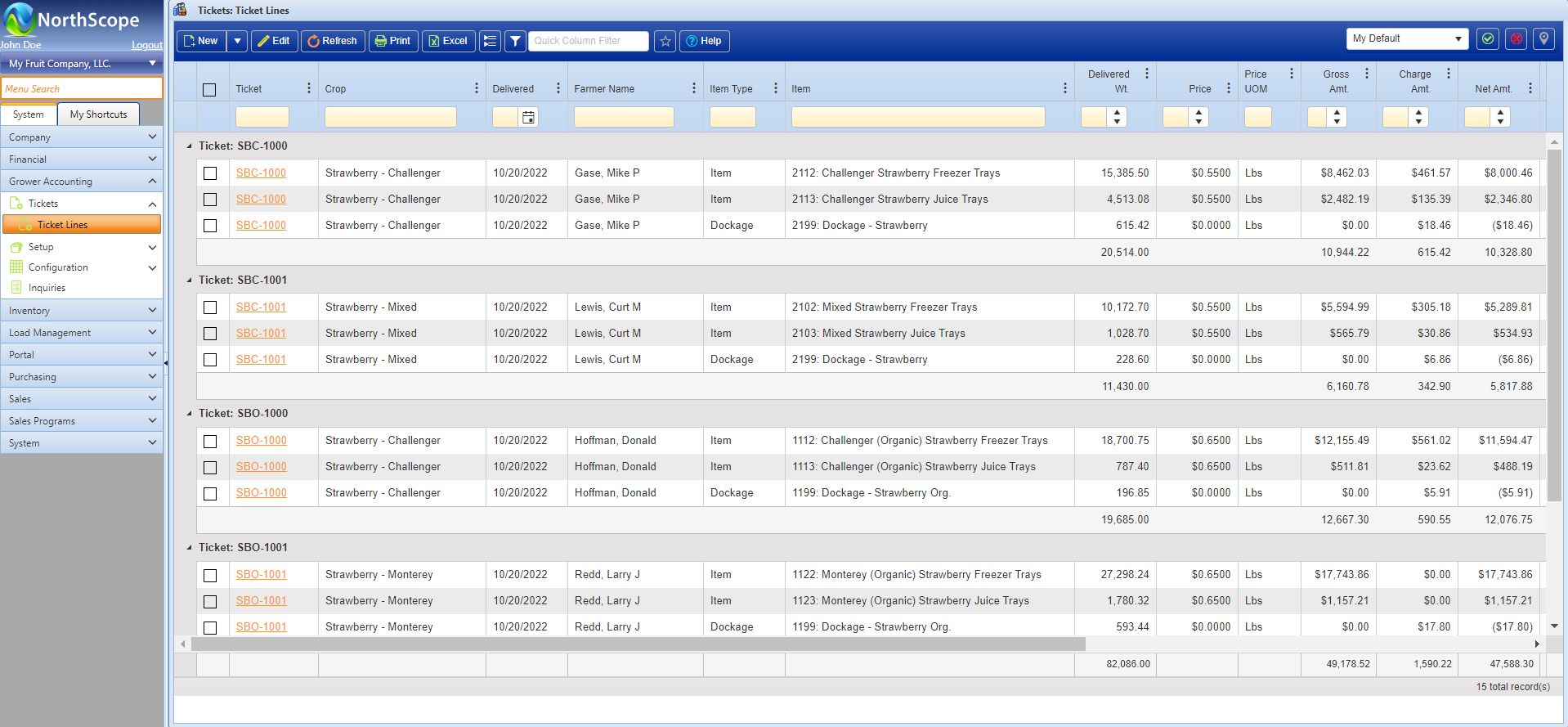
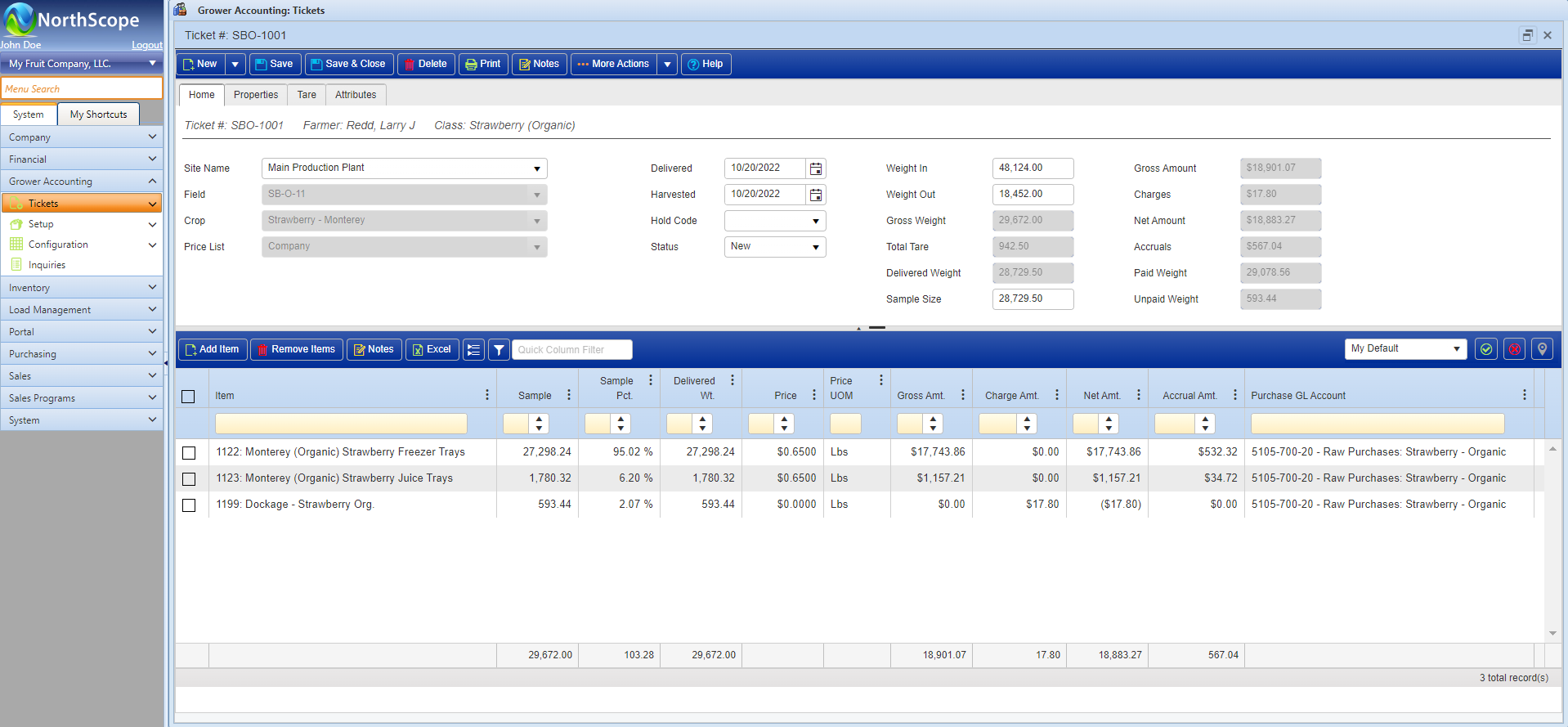
The Grower Accounting functional area is used to manage grower receipts for row crops, nuts, and farmed fish. The main tasks performed include entering and grading grower receipts and paying growers, harvesters, and haulers. Grower Accounting integrates with the General Ledger, Accounts Payable and Inventory functional areas.
Features
- Input Grower Receipts / Delivery Tickets
- Post Multiple Grower Receipts at the Same Time
- Automate Inventory Receipts from Posted Grower Receipts
- Reprice & Correct Historical Tickets
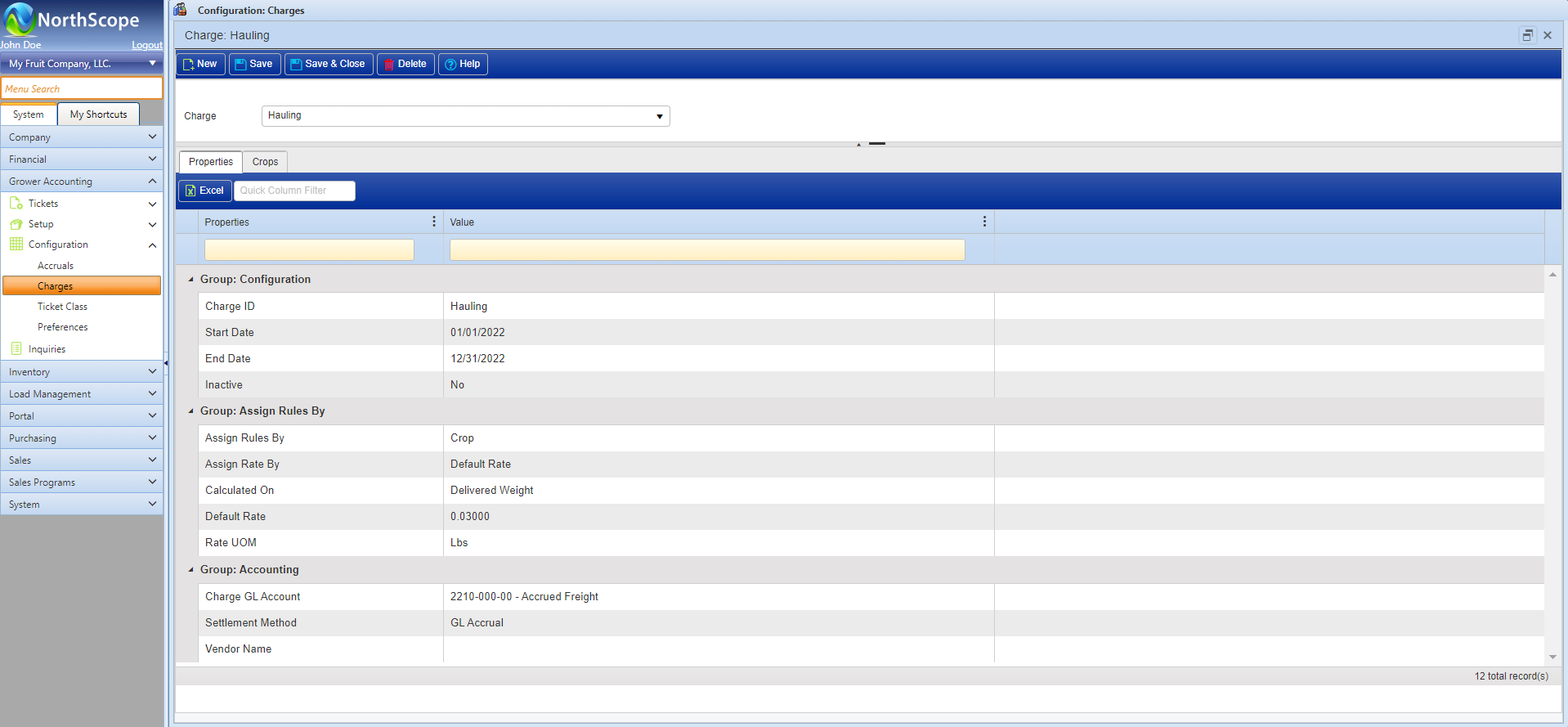
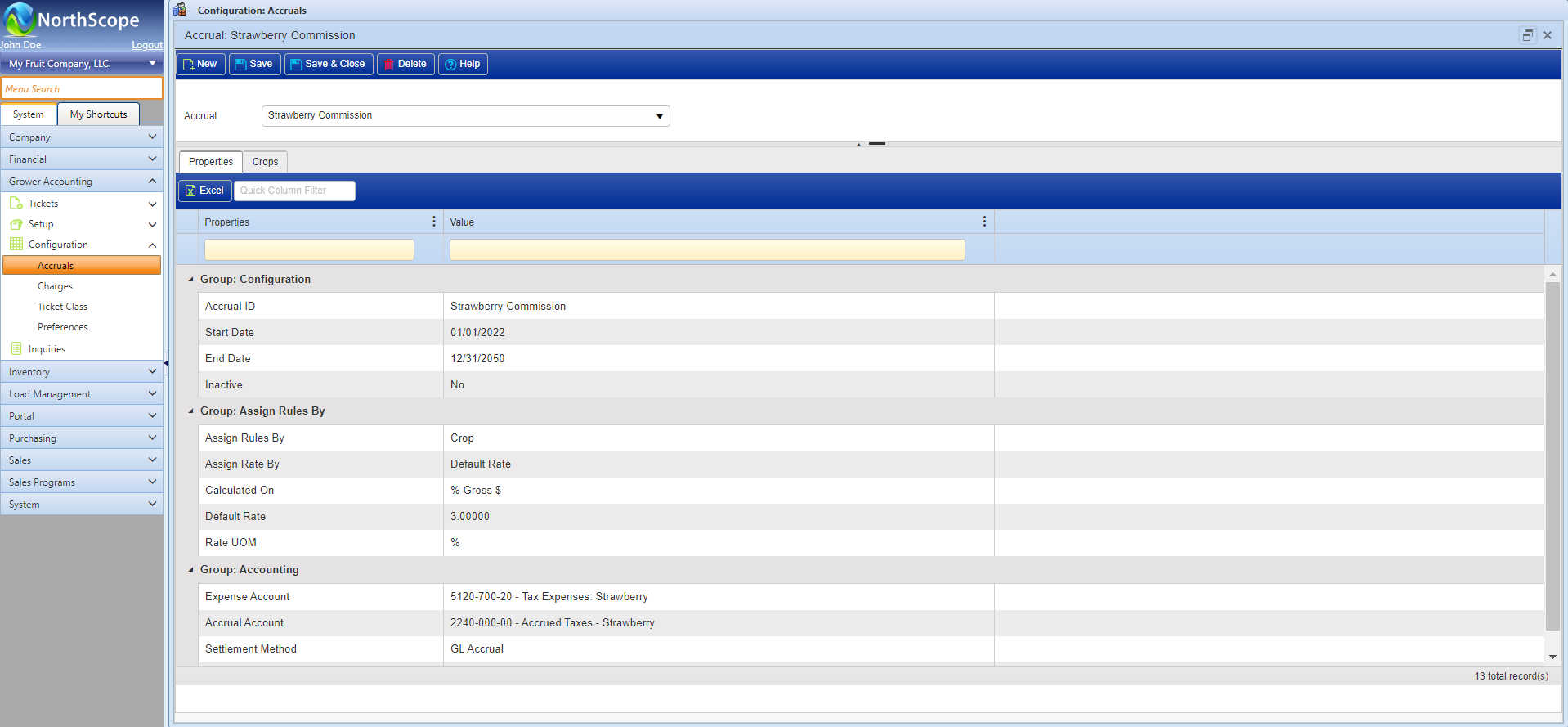
- Configure & Maintain Ticket Charges, Taxes & Accruals
- Manage Company-Owned and/or 3rd Party Farms/Growers
- Maintain Price Lists for Grower Receipts
- View Grower Balances and Process Payments
- Generate Safe Pay File
- Grower Balances & Payments via AP and/or ACH
- Inventory Integration
- User-Defined Fields
- Configurable Ticket Classes
- Flexible Reporting & Inquiries with Drill-Through to Transactions
Functions
- Input Grower Receipts / Delivery Tickets
- Post Multiple Grower Receipts at the Same Time
- Automate Inventory Receipts from Posted Grower Receipts
- Reprice & Correct Historical Tickets
- Configure & Maintain Ticket Charges, Taxes & Accruals
- Manage Company-Owned and/or 3rd Party Farms/Growers
- Maintain Price Lists for Grower Receipts
- View Grower Balances and Process Payments
- Generate Safe Pay File
Inventory
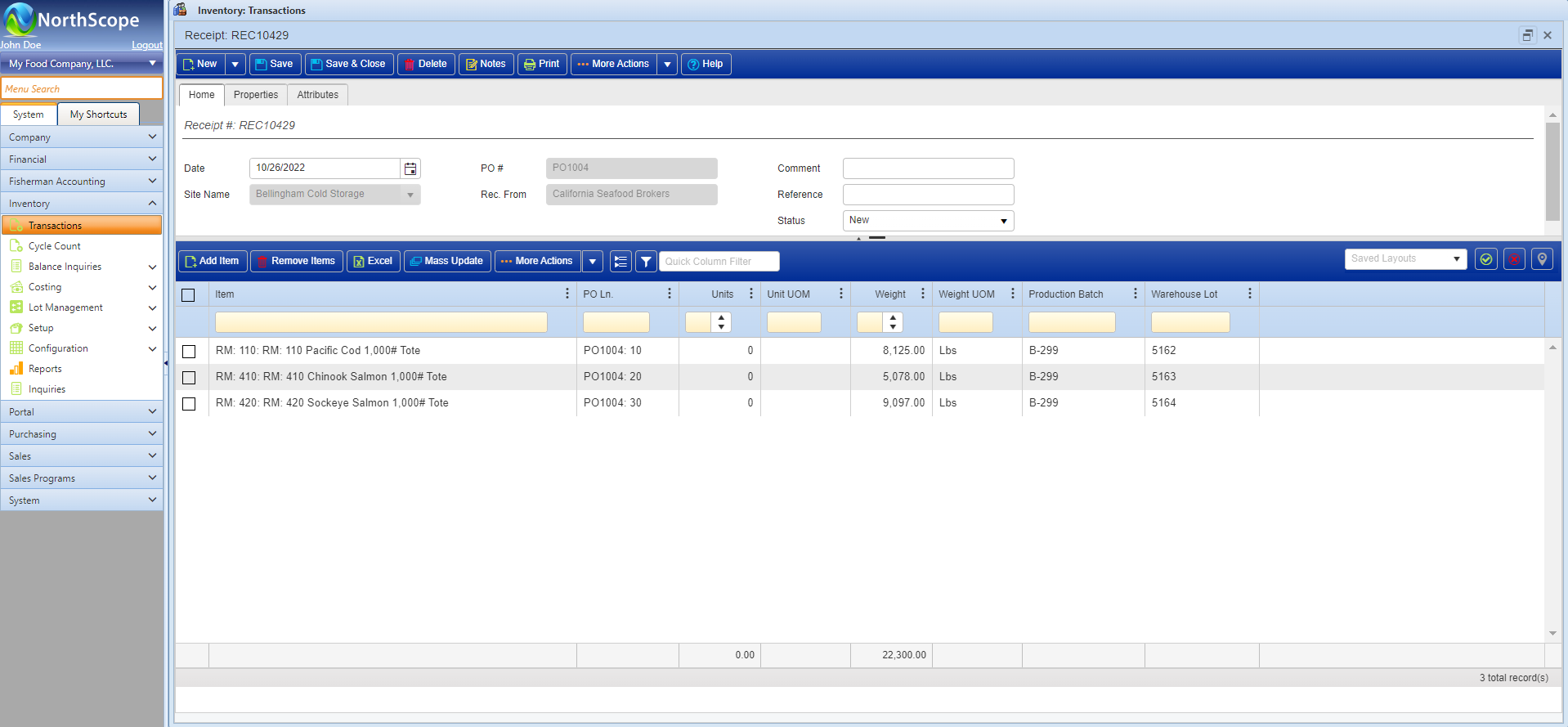
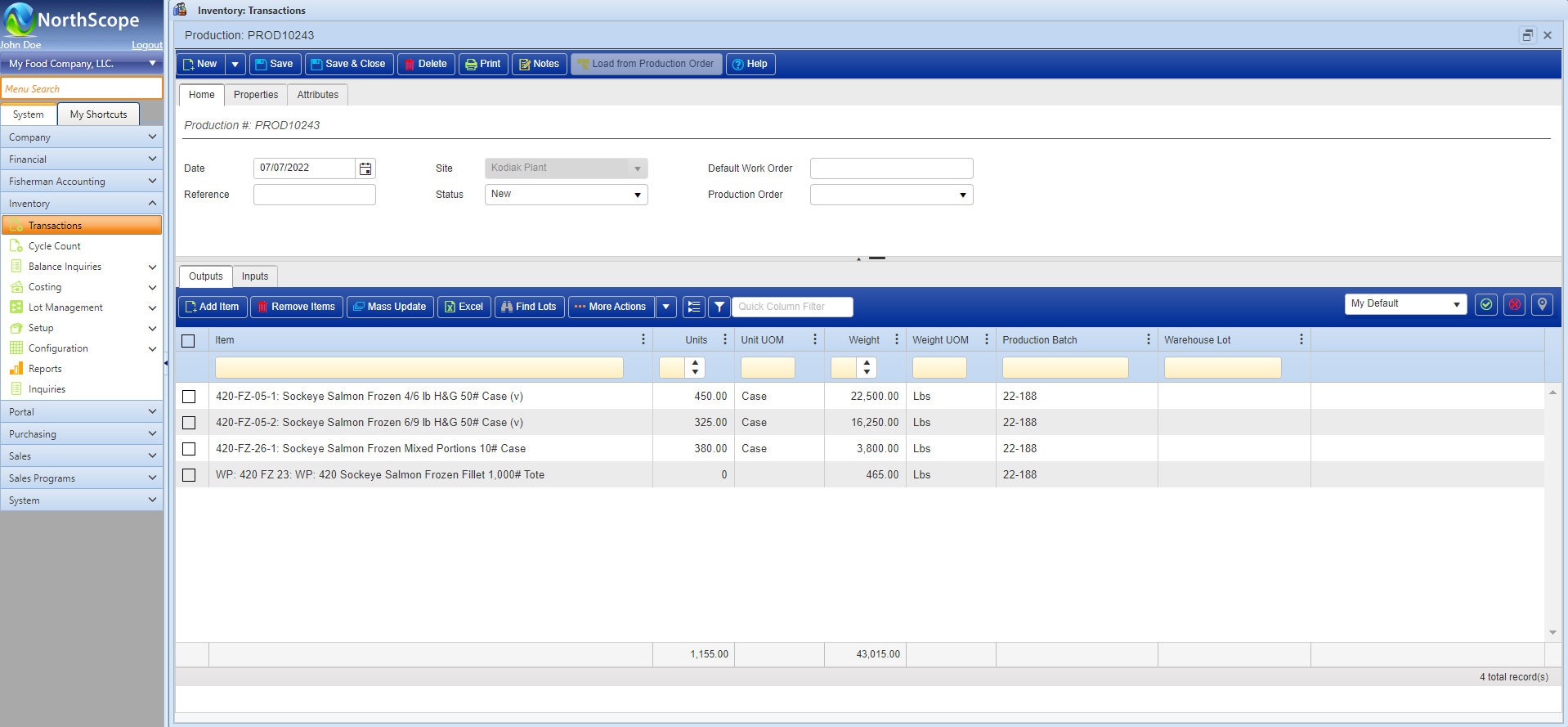
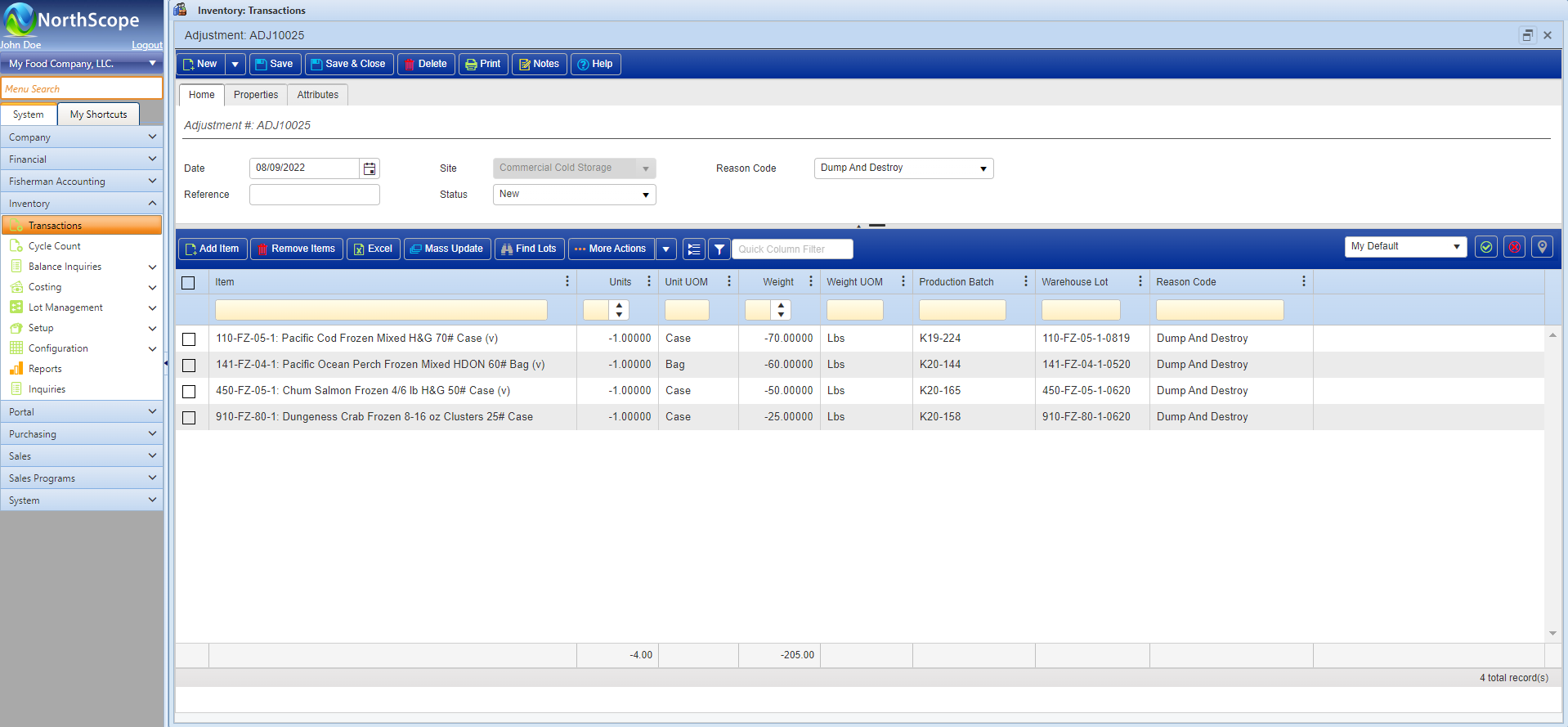
The Inventory functional area is used to configure Items and Sites, maintain perpetual inventory balances, maintain costing, provide lot tracing, and manage Production. The main tasks include maintaining the Item Master and entering and/or importing all inventory transactions. Inventory integrates with the General Ledger, Fisherman Accounting, Grower Accounting, Purchasing, Sales Order, Brokerage, and Rebates.
Features
- Item Setup & Maintenance
- Perpetual Item Balances by Item and/or Lot – Watch Video
- Current & Historical Perpetual Product Balances
- Support for Unlimited Product Sites/Warehouses
- Support for Third Party Warehouse Lots
- Costing – Actual, Standard, and/or Market
- Lot Traceability & Recall
- Separation of Inventory by Product Owner
- Unique Transactions for Adjustments, Production, Receipts and Transfers
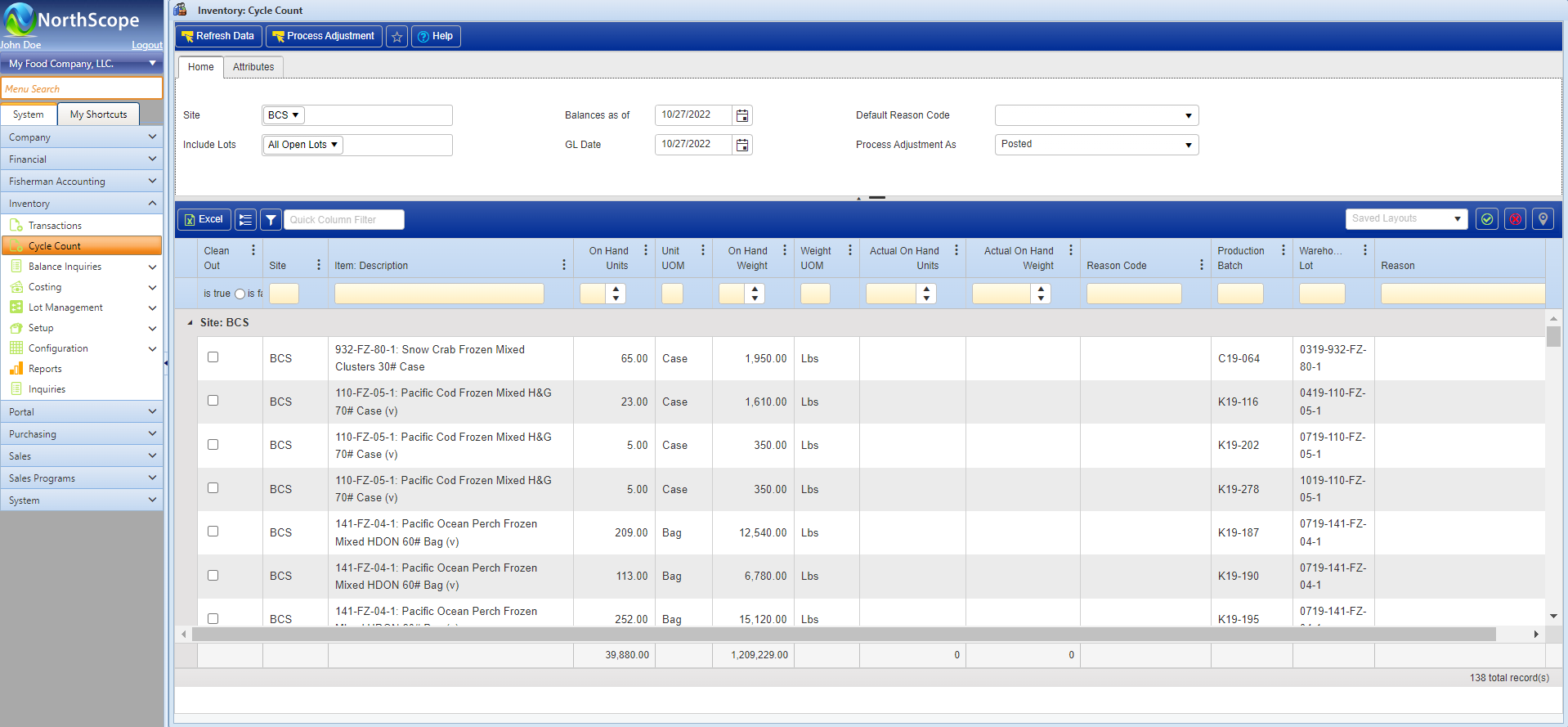
- Cycle Counts
- Hold Codes
- UOM Conversions
- Catch Weight/Variable Weight Item Management
- Lot Certifications
- Robust & Flexible Item Configuration
- Barcode Integration
- Voiding & Correcting of Historical Transactions
- Bill of Materials
- Configurable Transaction Classes
- Insured Value Price Lists
- Configurable Preferences for Setting Defaults and Turning Features On/Off
- User-Defined Fields Unique to each Transaction Type
Functions
- Enter Adjustment, Production, Transfer & Receipt Transactions with Item & Lot details
- Import inventory transactions from data collection devices
- Manage Delivered Freight (for Transfers) to generate freight accruals and/or freight purchase orders
- Record Export Details and Container information for International Transfers
- Post Multiple Transactions at the Same Time
- Correct Historical Transactions
- Void Historical Transactions
- Item Setup & Maintenance
- Manage Item Balances
- Manage Lot Balances
- Cycle Counts
- Maintain “Insured Value” Item Prices
- Mass Update Lot Properties, Production Batches, Bill of Materials, BOM Items & Quality Test Results
- Pallet Configuration
- Record Quality Test Results
- Update Costs
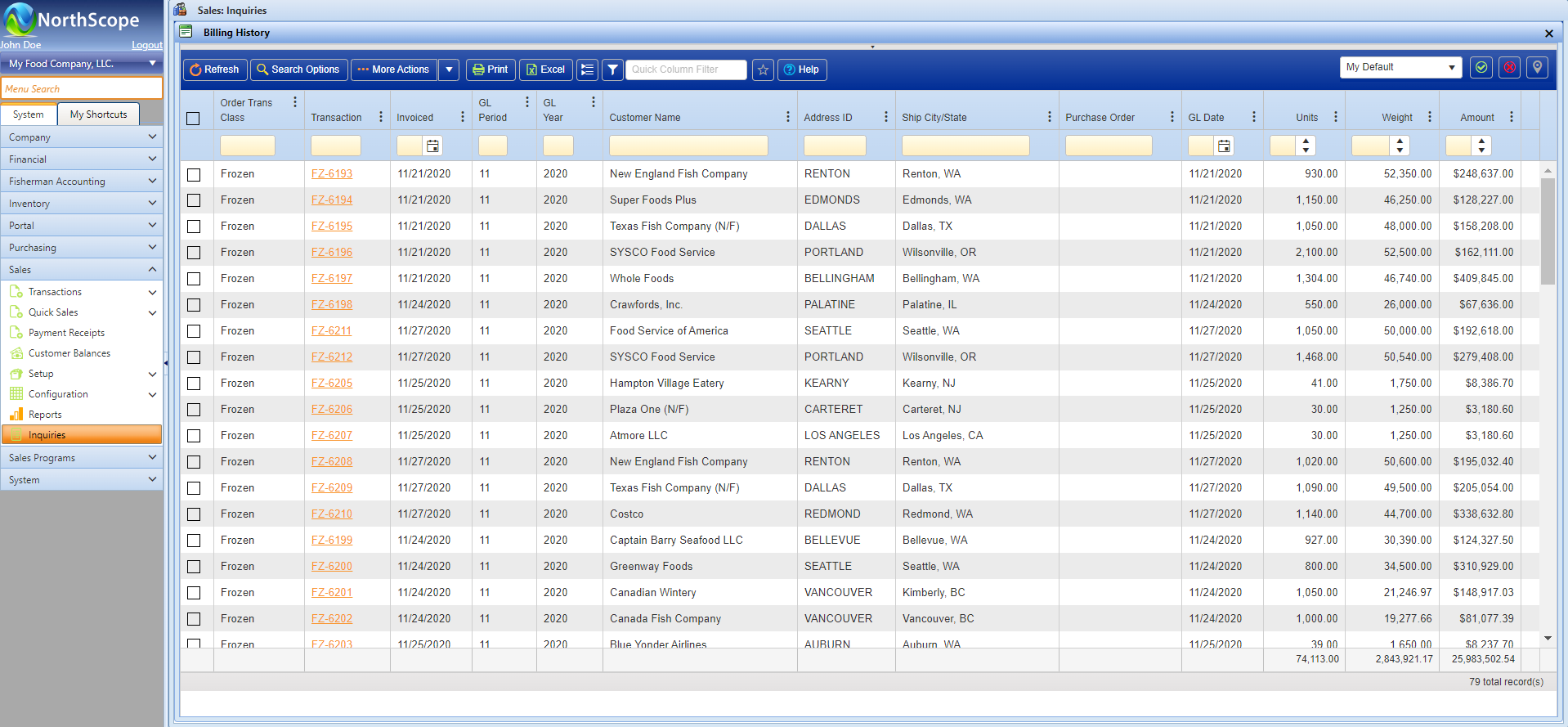
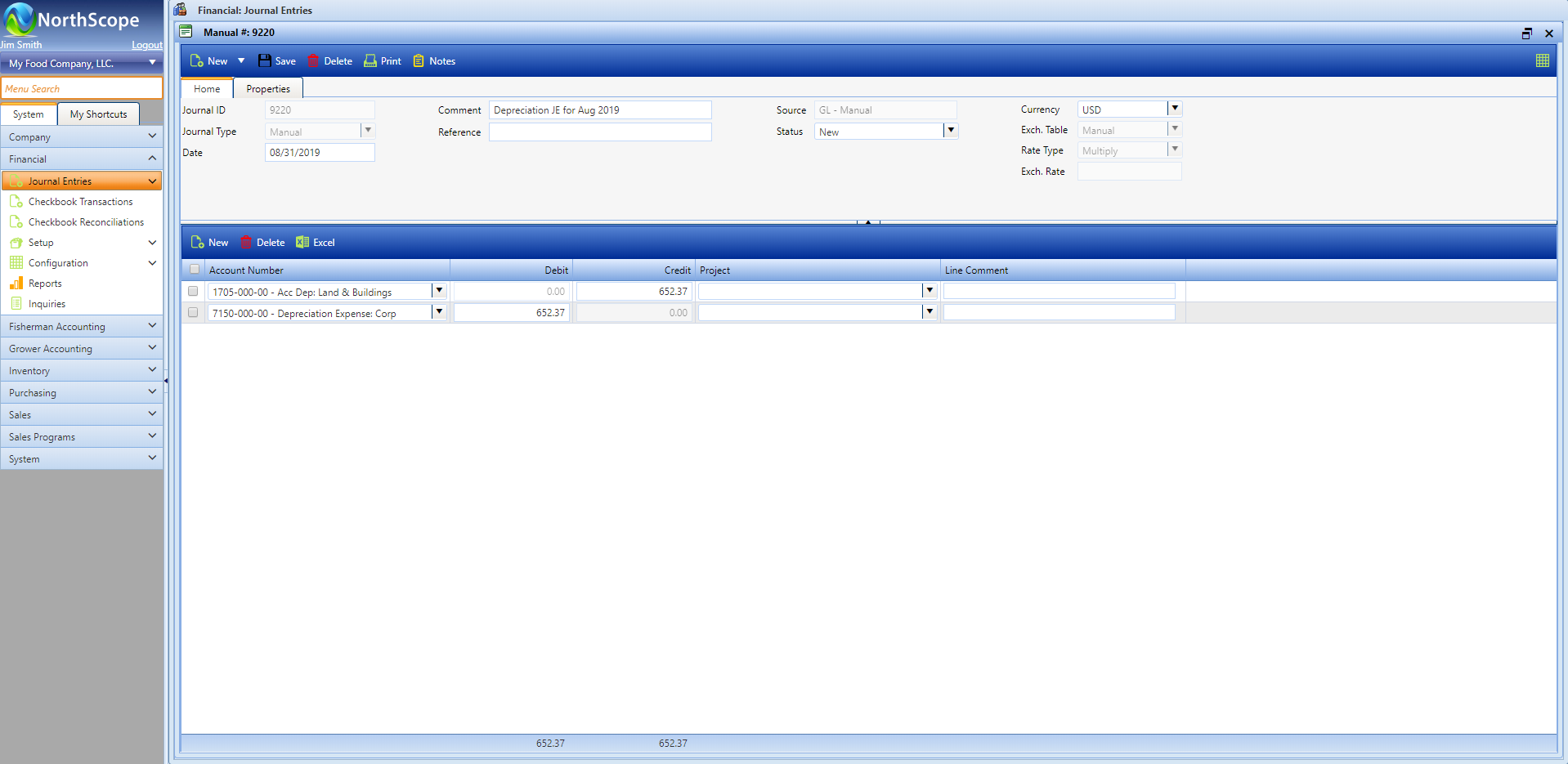
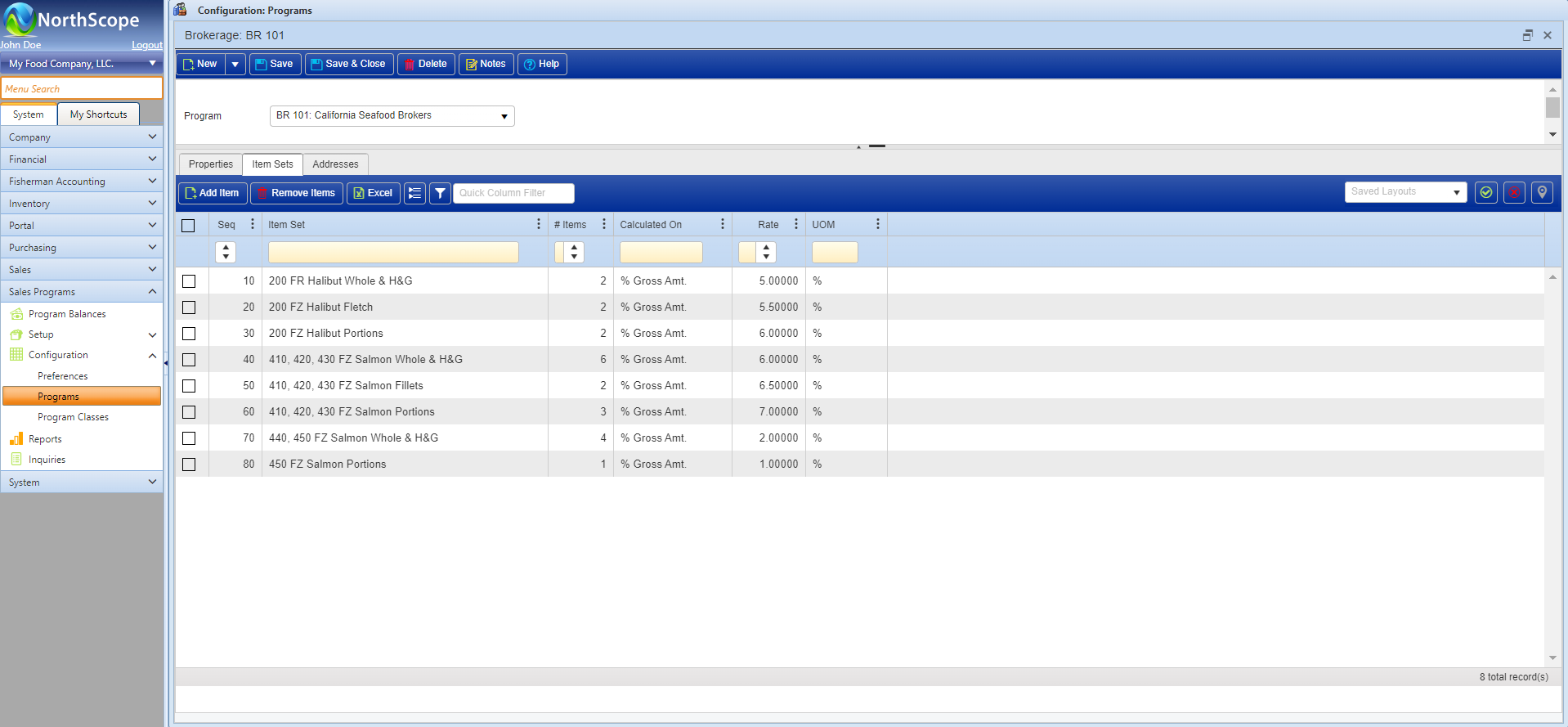
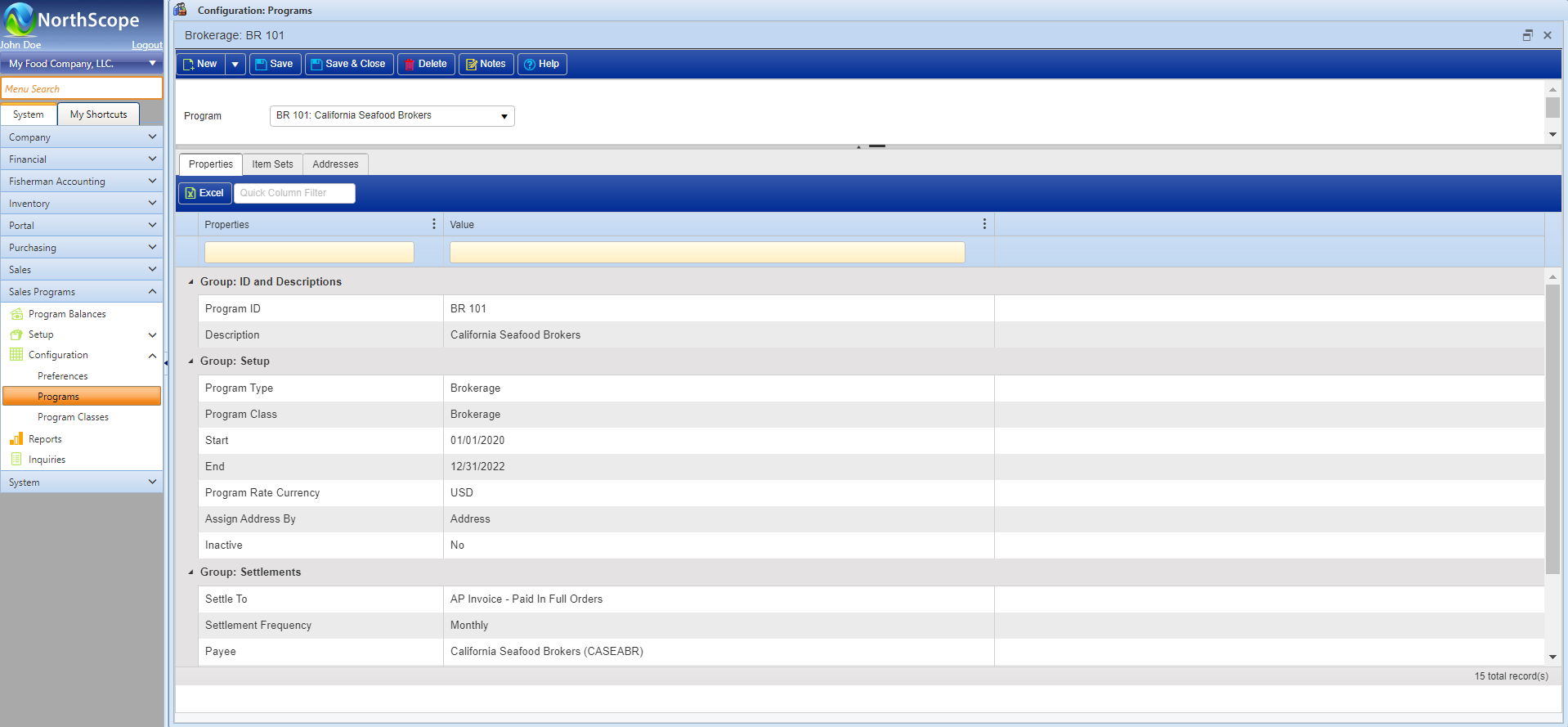
Purchase Order
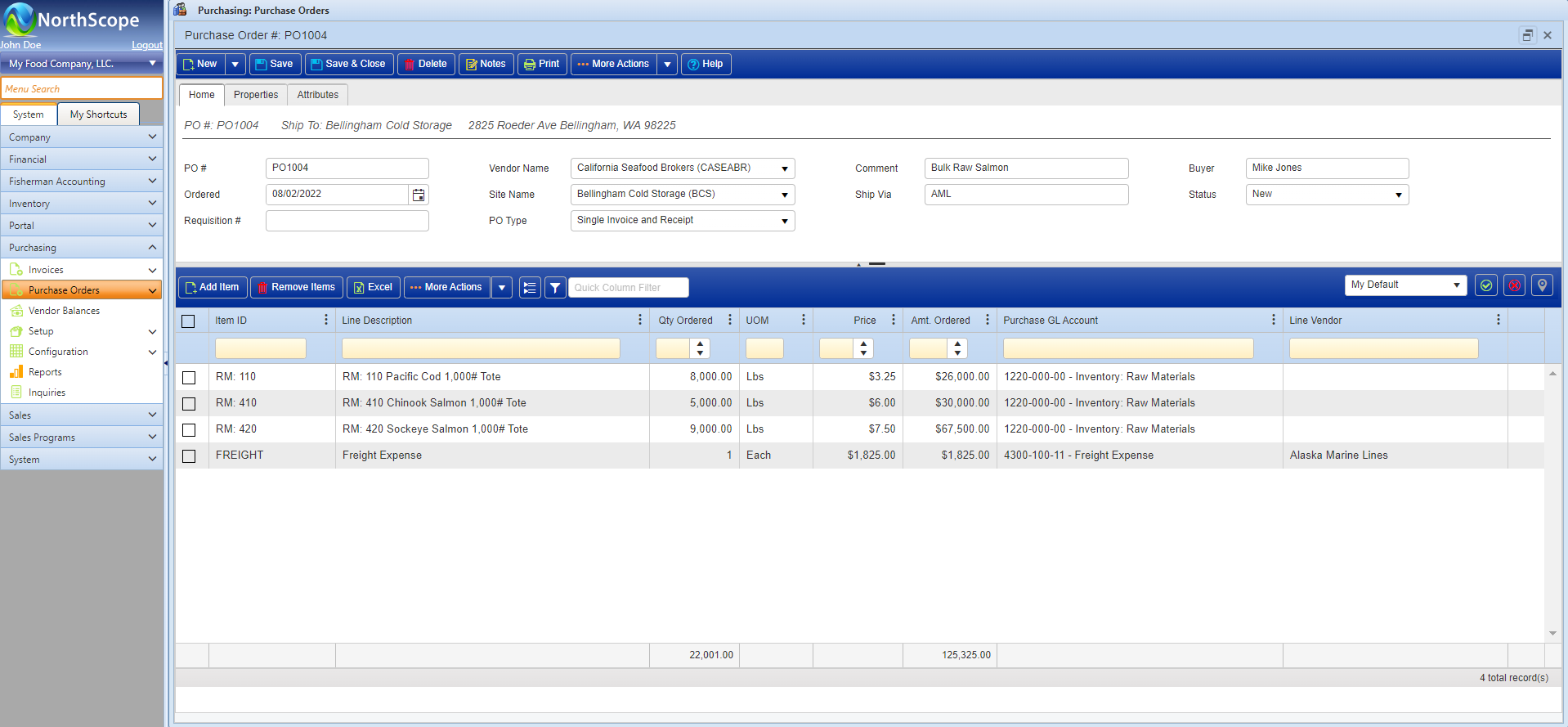
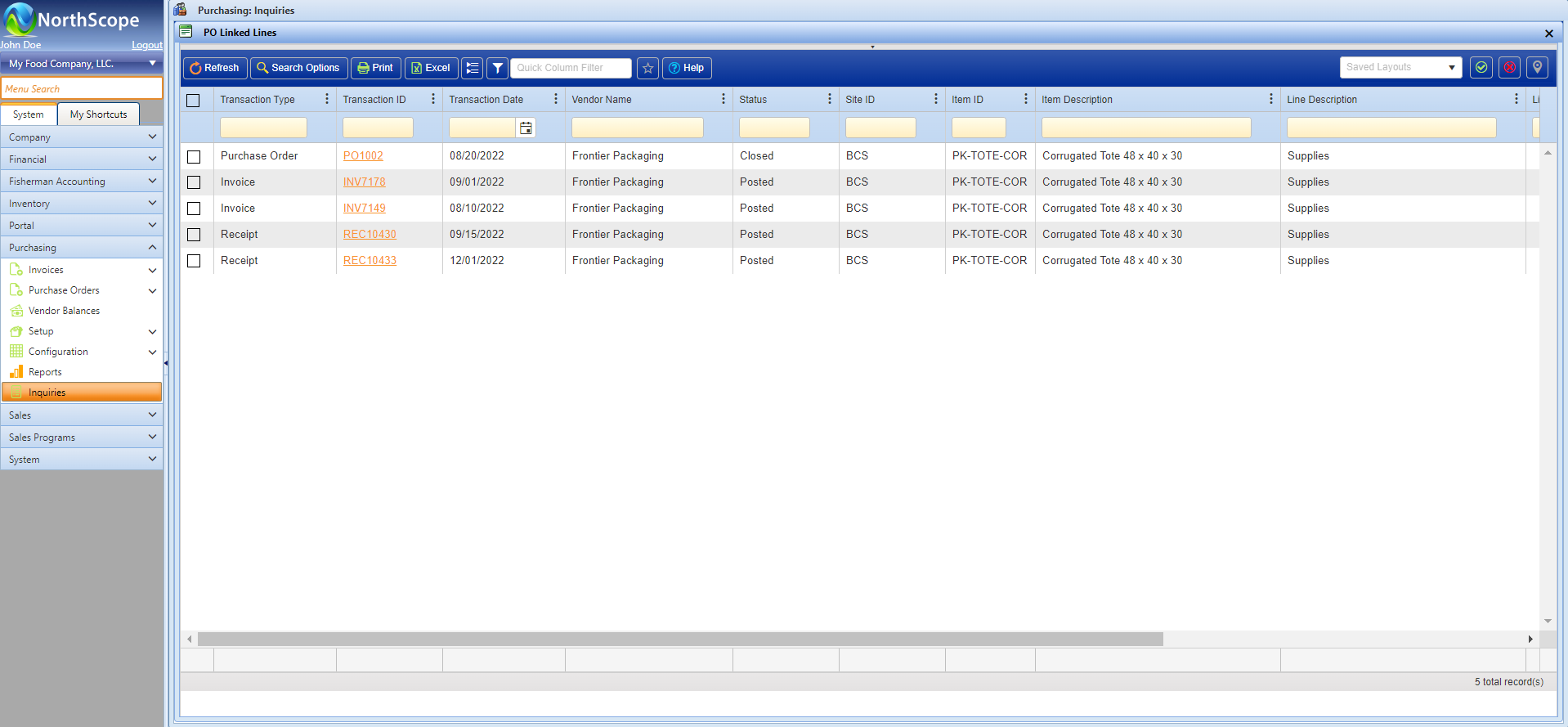
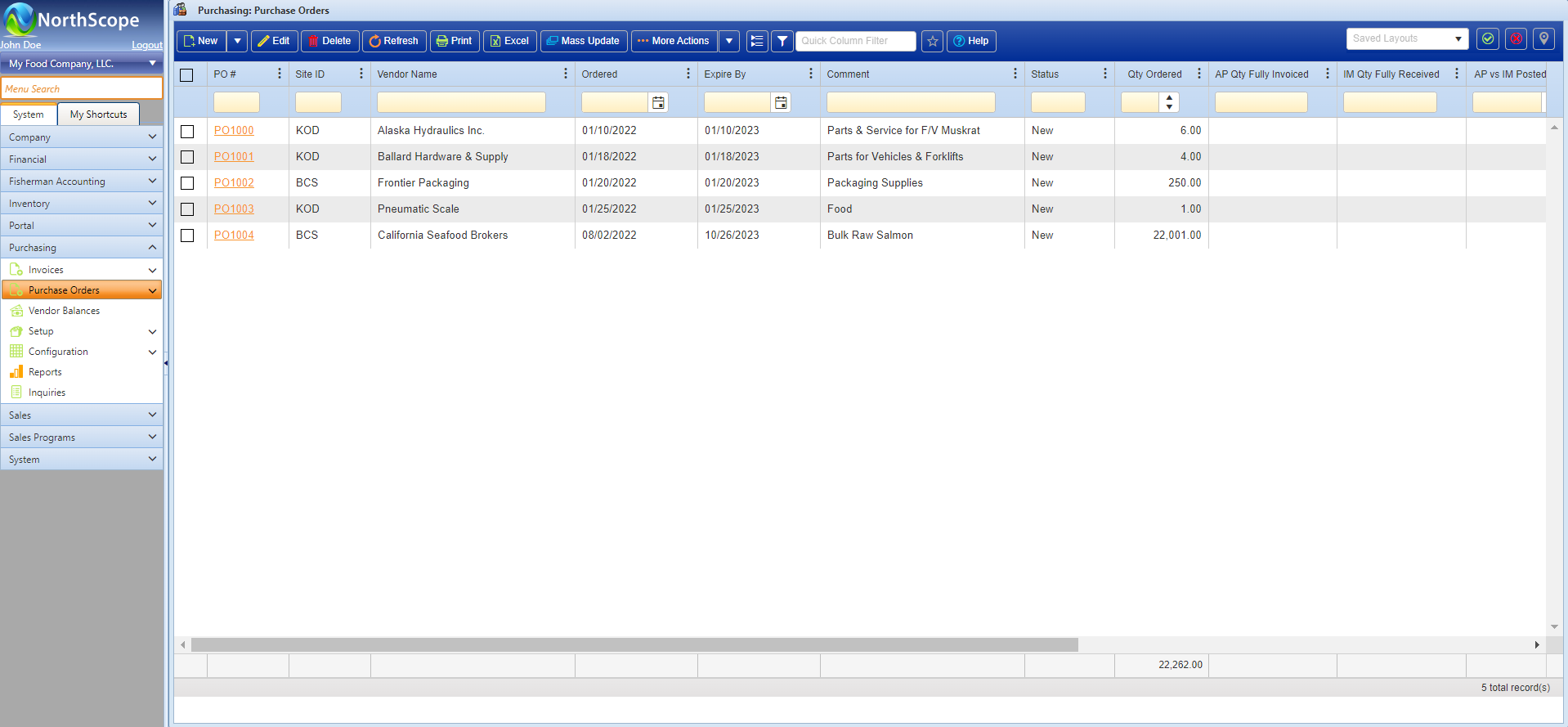
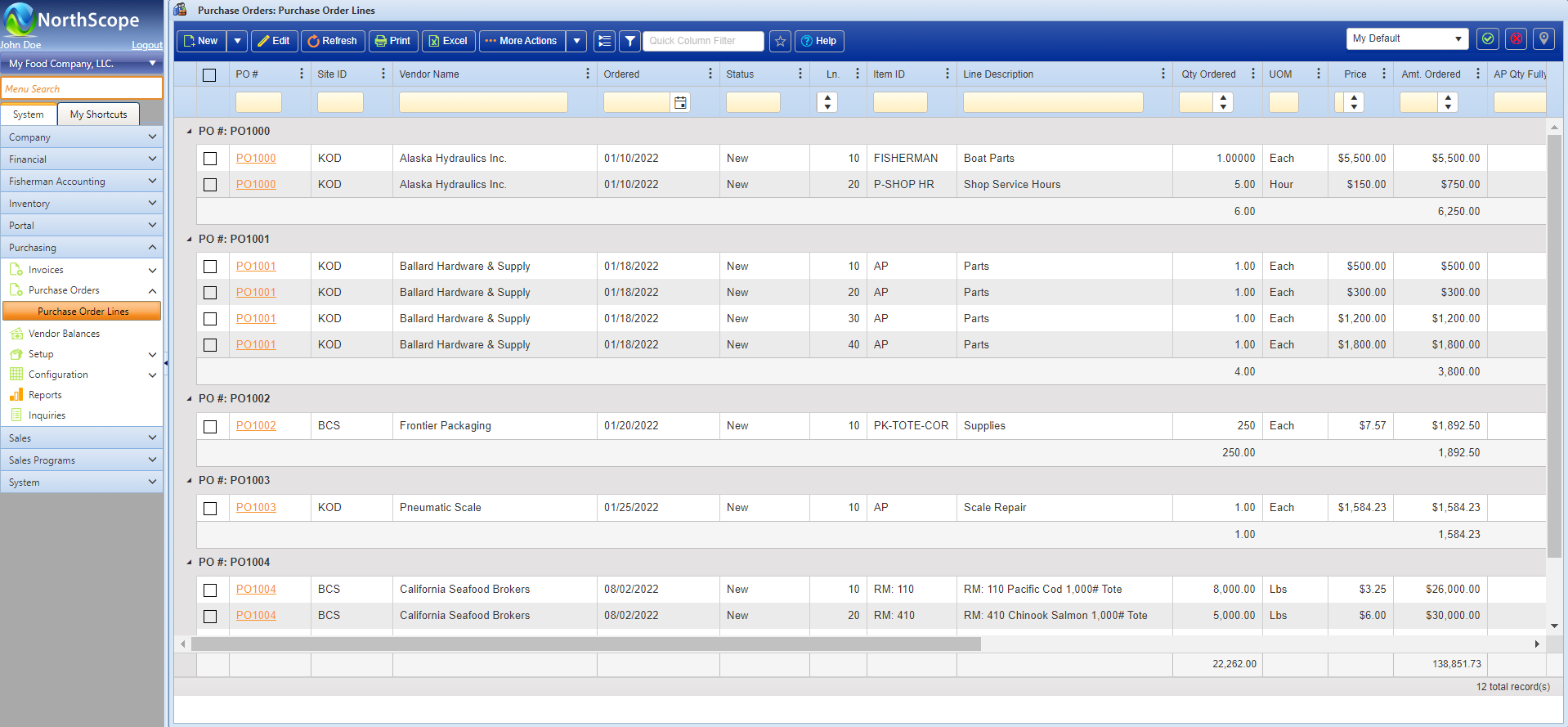
Purchase Orders are used to manage pre-arranged purchase agreements with vendors. Purchase Orders integrate with the General Ledger, Projects, Accounts Payable, Costing, Fisherman Accounting, and Inventory Receipts. Purchase orders can also be used distribute charges to Fishermen, Tenders, or Projects or to identify line-items whose amounts are to be allocated to inventory cost.
Features
- Purchase Order Entry
- Automatic Closure of Purchase Orders
- Autofill Purchase Order Items on linked AP Invoices and/or Inventory Receipts
- Multi-Vendor Purchase Orders by Line Item
- Single or multiple receipts and invoices against a Purchase Order
- Charge Purchase Order Lines directly to Fisher Accounts
Functions
- Close Multiple Purchase Orders at One Time
- Reopen Closed Purchase Orders
- View Purchase Order Balances
- Charge Purchase Order Lines directly to Fishers and/or Projects
- Enter a Single Purchase Order with Multiple line-item Vendors
Rebates
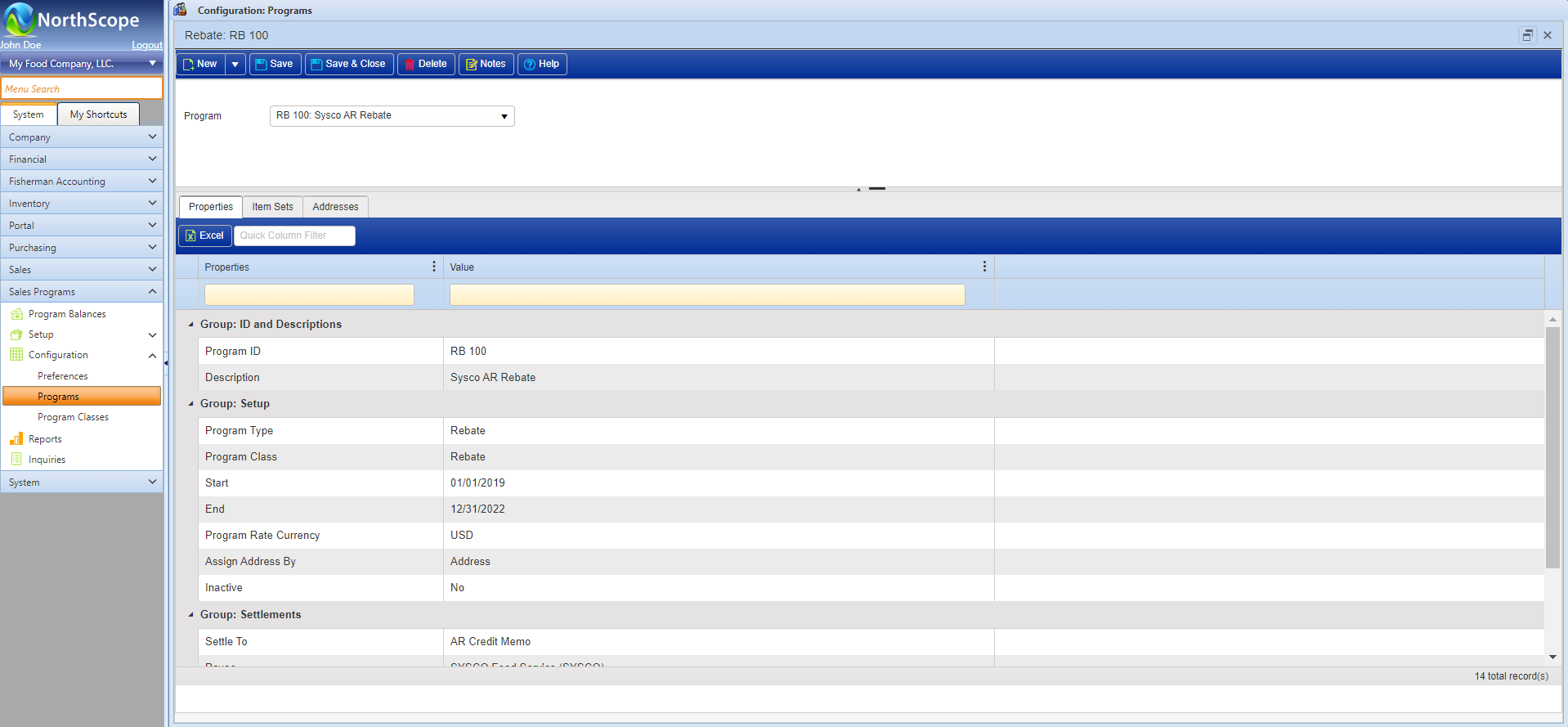
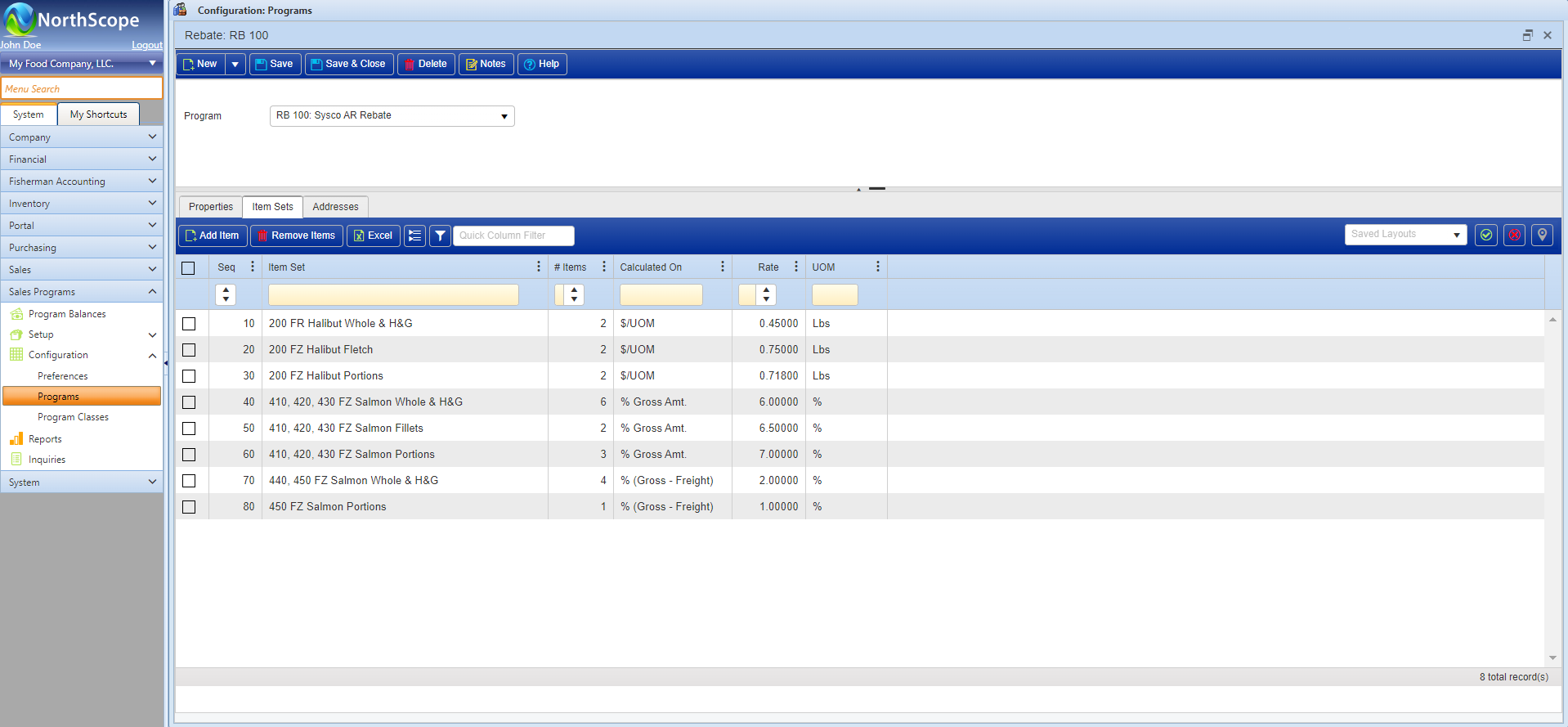
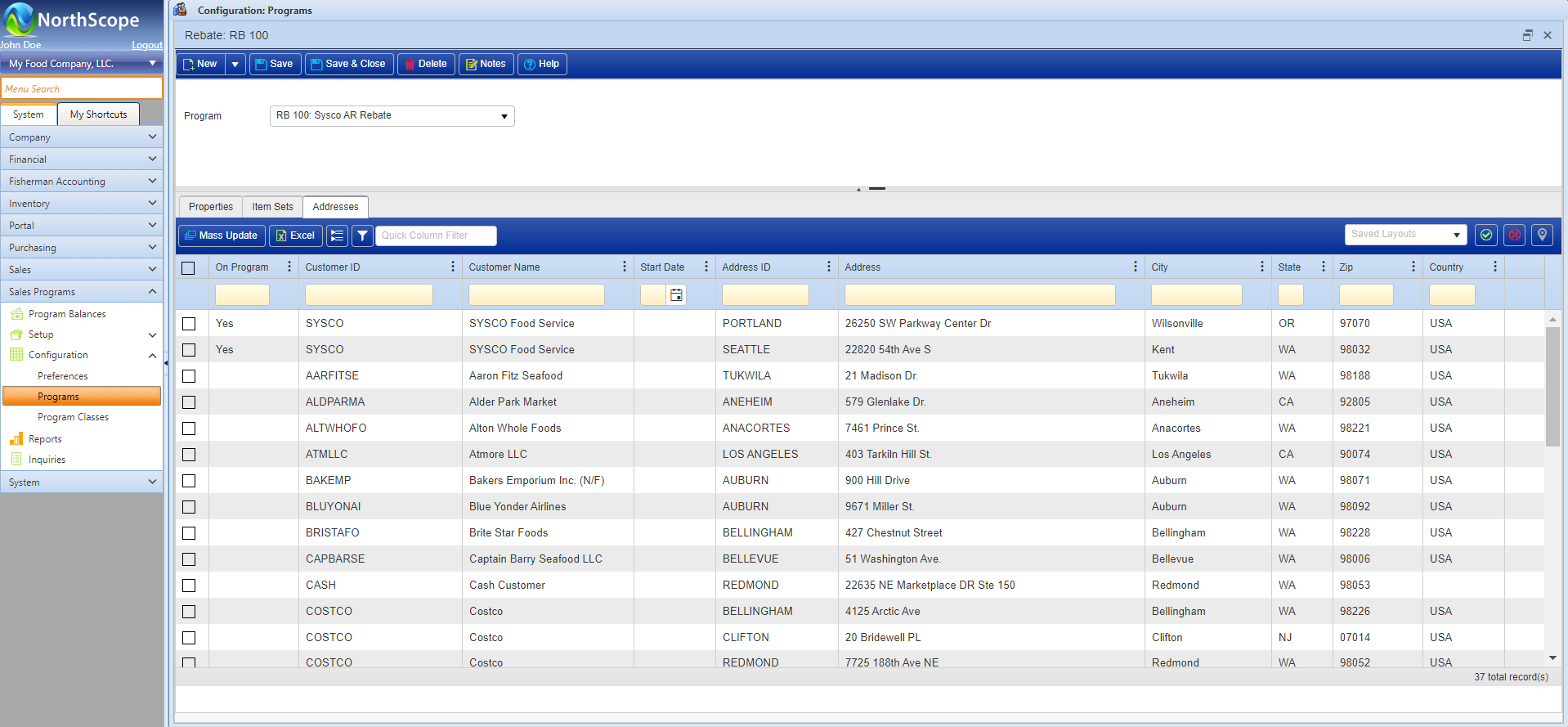
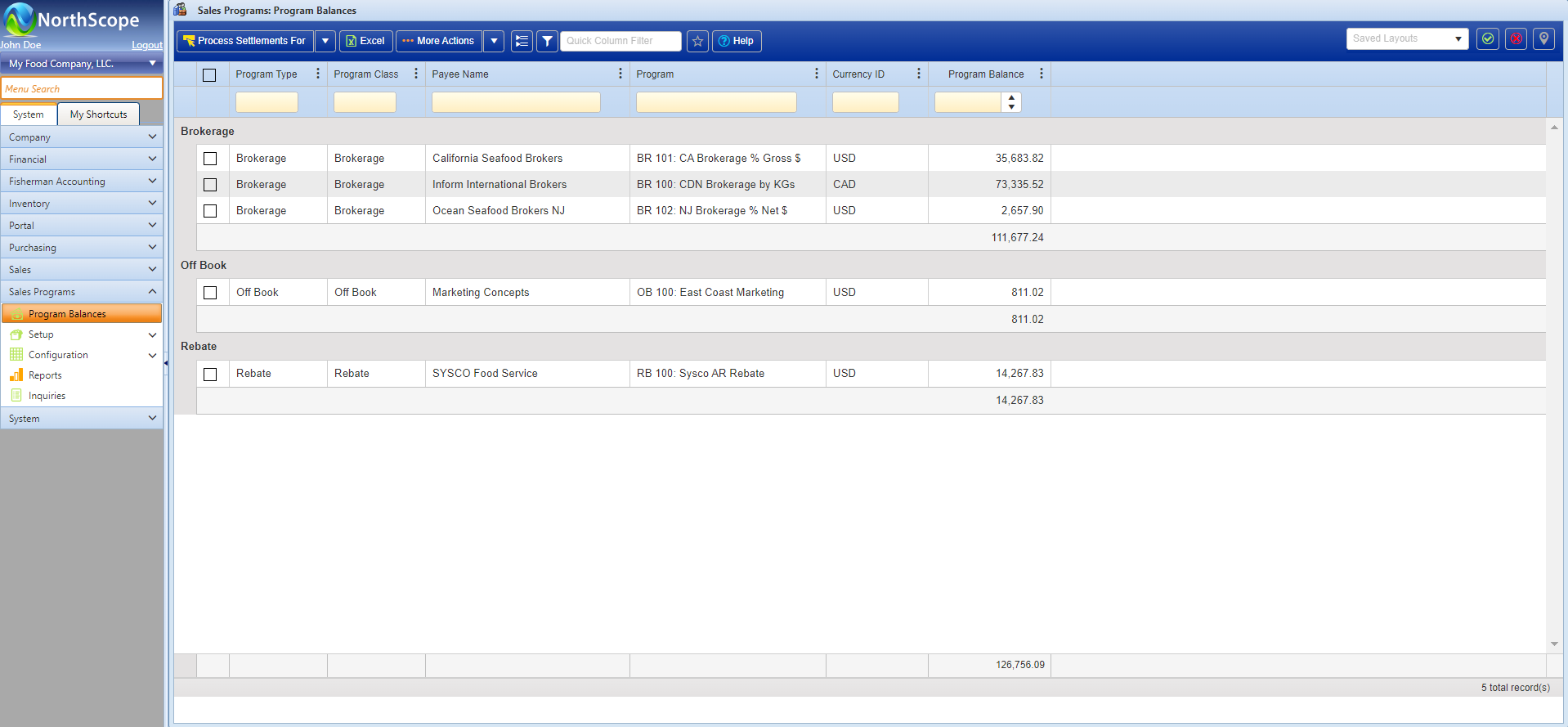
Rebate programs are used to compute, accrue, and process rebate amounts that can either be credited back to the customer or paid out to a Vendor (e.g., buying group, Sysco House, etc.). Active Rebate Programs are automatically added to eligible Sales Transactions. When a sale transaction that contains one or more Rebate Programs is posted, the accrued rebate amounts post to the General Ledger as part of the sales transaction journal entry and the Rebate details are added to the Rebates subledger. Open Rebates can be processed/settled by batch (to create one or more AR Credits and/or AP Invoices), as part of the payment receipt application process, or cancelled/written off. Rebates are fully integrated with General Ledger, Accounts Payable, Accounts Receivable and Sales Order.
Features
- Rebate Management
- Easily configurable Rebate programs
- Easily configurable Off Book Rebate programs that auto calculate but do not accrue to the General Ledger until they are taken
- Calculate Rebate amounts as:
- $/UOM: (e.g., $1.25 / Lbs)
- % Gross Amount: (e.g., 2% of the gross item amount)
- % (Gross – Freight): (e.g., 2% Less included/estimated delivered freight)
- Automate Sales Order accruals
- Quick visibility of current Rebate balances
- Process accrued Rebates to either Accounts Payable or as Accounts Receivable credits
Functions
- Configure and maintain Rebate programs
- View open Rebate Program balances
- Process Rebate Settlements to either Accounts Receivable or Accounts Payable
- Edit open Rebate amounts
- Write off open Rebate amounts
Sales Order
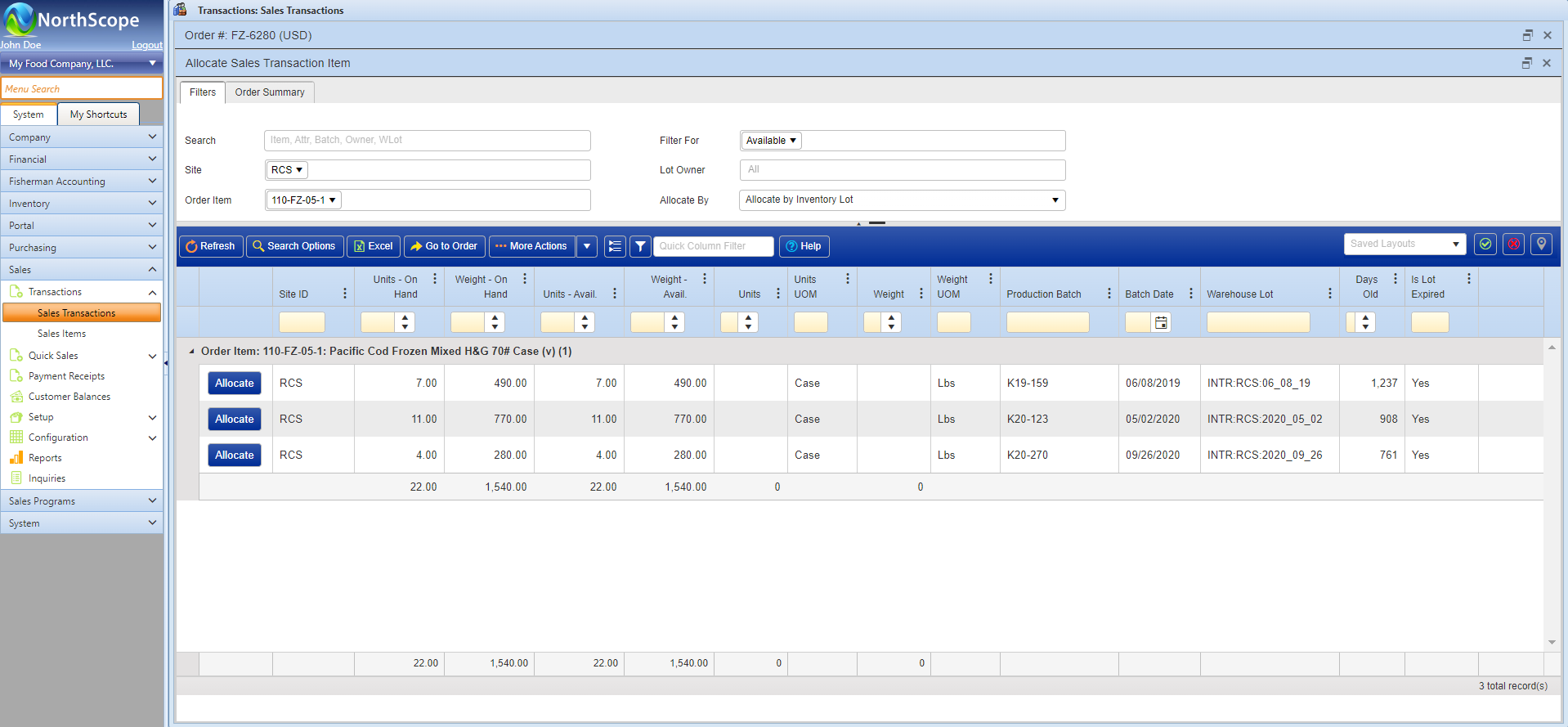
The Sales functional area is used to manage the workflow of all Sales transactions including Orders, Price Adjustments, Returns, and Debit/Credit Memos. The main tasks include entering and/or importing sales transactions, allocating inventory to orders, managing customer price lists, and maintaining customer contracts. Sales Order integrates with the General Ledger, Fisherman Accounting, Inventory, Load Management, Brokerage, and Rebates.
Features
- Sales Order entry, allocation, and Invoicing
- Sales Quotes
- Price Adjustments Against Historical Transactions
- Returns Against Historical Transactions
- Sales Order Workflow
- Delivered Freight Management
- Configurable Order Entry Rules
- Configurable Transaction Classes
- Credit Limit Management
- Support for Multiple Shipments Against a Single Order
- Support for Multiple Orders on One Shipment
- Price List Management
- Sales Contracts
- Robust Customer Management
- User-Defined Fields Unique to Each Transaction Type
- Export Details to support International Shipments
- EDI Integration
- Bar Code Integration
- Configurable Preferences for Setting Defaults & Turning Features On/Off
Functions
- Sales Order Entry
- Quote Entry
- Price Adjustment Entry
- Return Entry
- Debit/Credit memo Entry
- Allocate Inventory to Orders
- Review Inventory Allocations from Bar Code System
- Mass Update Status & Workflow of Transactions
- Ship Sales Orders
- Sales Order Invoicing / Billing
- Record Shipment Details Including Delivered Freight Expense
- Post Multiple Transactions at the Same Time
- Manage Customer Order Item Substitution Rules
- Maintain Sales Order Price Lists
- Mass Update Prices Across Multiple Price Lists
- View Customer Balances
- Void Sales Transactions


Success Stories

Heartland Catfish Improves Data Entry by 80% & Continues to Scale with the help of NorthScope & its Customer-Centric Development
With NorthScope, Heartland has been able to enter and audit more sales transactions with less staff than they could before, and they were able to build an integration with their shop floor system and fish ticket delivery scale system which has saved them 80% of their data entry time and saves them from bringing on new staff when their business increases.

Arctic Fisheries Switches to NorthScope from Microsoft Dynamics Nav to Streamline Operations
Arctic was on the hunt for an intuitive, industry-specific ERP solution to meet their business requirements and consolidate their current system and customizations.

Cascade International Foods Implements NorthScope ERP and Manages its Grower Accounting in Half the Time
Cascade prioritized reducing manual processes, automating key aspects of their business, integrating their inventory and more. They were able to implement a solution that allowed Cascade to:
✔︎ Access grower reports in seconds (that previously took significant time to compile)
✔︎ Track charges and accruals for grower receiving in real time
✔︎ Save time importing tickets instead of manually entering them (the process now takes about half the time as before)